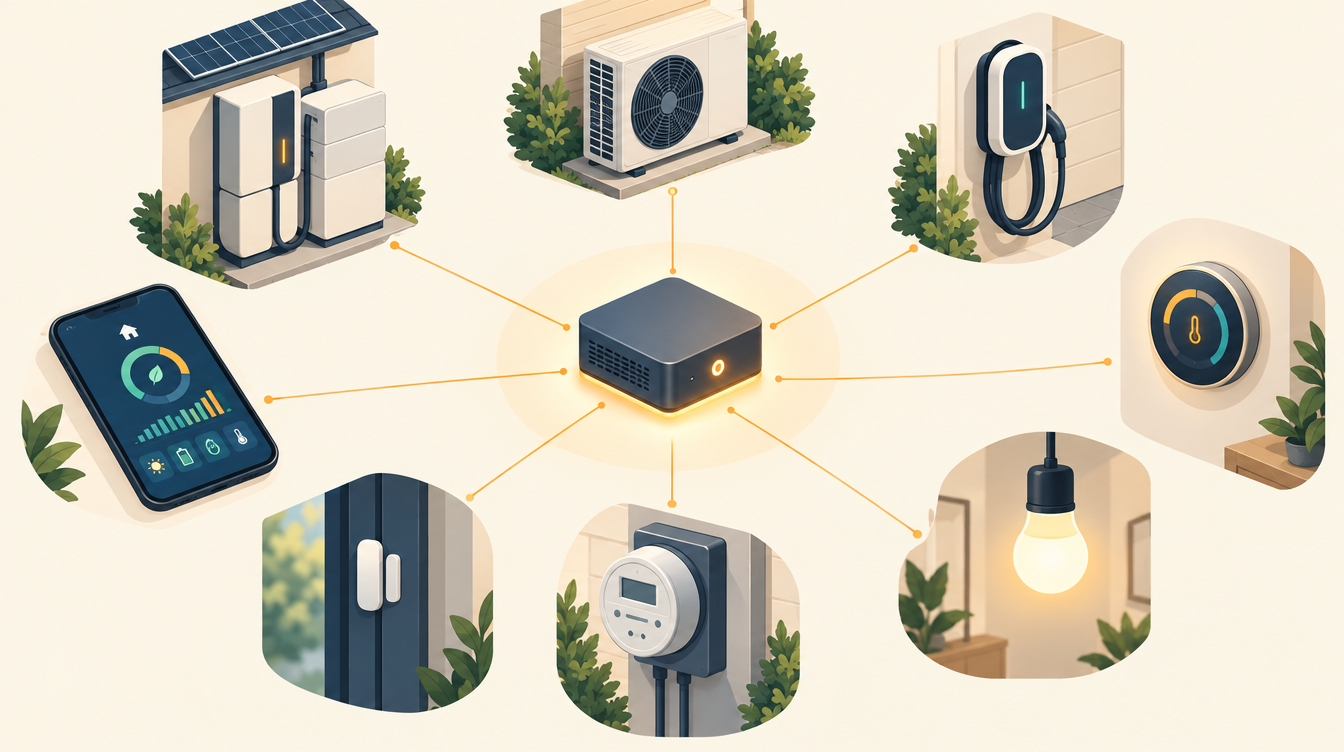
Everything on this site runs on Home Assistant: one system that lets the battery, the heat pump, the EV charger and the meters in my house talk to each other. So what is Home Assistant, why do I use it, and how do you get started?
In short
Home Assistant is free, open-source home automation software. It runs on a small computer in your own home and connects devices from all kinds of brands: from lights and thermostats to inverters, heat pumps and EV chargers. You can then make them work together with automations, and follow everything on dashboards.
The project started in 2013 and is developed by a large international community. Since 2024 it has been part of the Open Home Foundation, a non-profit that is meant to keep it open and independent. A new version comes out every month.
Why I chose Home Assistant
- Brand-independent. My inverter, battery, heat pump and EV charger come from four different manufacturers, each with its own app. Home Assistant is where they come together.
- Local. The control happens in my own home, not in a manufacturer’s cloud. If the internet goes down, the system keeps working.
- My data stays mine. Measurements are stored at home. I decide what leaves the house.
- I make the rules. A manufacturer’s app decides for one device. In Home Assistant I decide for the whole house, based on tomorrow’s prices.
- No subscription needed. The software is free. There is an optional paid subscription (Home Assistant Cloud), among other things for secure remote access; it also supports the development.
To be fair: it takes time. You need to be willing to figure things out, and sometimes spend an evening puzzling. That is exactly why I keep this site.
The terms you need to know
| Term | What it is |
|---|---|
| Integration | The connection to a device or service, such as Tibber, Shelly or Modbus. There are thousands of them. |
| Entity | One value or switch, such as the battery’s state of charge or the heat pump’s flow temperature. |
| Automation | A rule: when this happens, and that is true, then do this. |
| Script | A fixed sequence of actions that you can call from automations. |
| Helper | A switch, number or dropdown you create yourself, for example an adjustable price limit. |
| Dashboard | A screen with cards, graphs and buttons, for your phone, tablet or computer. |
| Add-on | Extra software that runs alongside Home Assistant, such as EMHASS. |
| Package | A YAML file that groups everything about one topic. This is how I keep my configuration organised. |
How I use it
In my house, Home Assistant is the platform everything runs on. The main parts:
| Component | How it is connected | What it does |
|---|---|---|
| Deye inverter and battery | Sunsynk add-on over RS485 | Reading and controlling charging, discharging and export |
| LG heat pump | Modbus integration via its own RS485 adapter | Temperatures, hot water, heating on and off |
| Electricity prices | Tibber integration | 96 quarter-hour prices per day |
| Planning | EMHASS add-on | A plan for the next 36 hours, every 15 minutes |
| EV charger | evcc | Charging the car on surplus solar or below a price limit |
| Heat pump metering | Shelly integration | Electrical consumption per phase, for the COP |
| Solar forecast | Open-Meteo | Expected output of the solar panels |
Around that sit some 160 entities, 20 automations and a handful of dashboards, split into packages per topic. How it all works together is described on How it works.
For me, Home Assistant does more than energy. Our Somfy screens are connected via the Connexoon and open and close automatically with hysteresis. The garden gets water with GIEX Zigbee timers and a soil moisture sensor. With the Home Assistant Voice Preview Edition I control the house with my voice, and I write my automations together with Claude. How to build an alarm system in Home Assistant with Zigbee and Z-Wave is covered in a separate post. And if you are coming from another system: read why I switched from Fibaro to Home Assistant.
Getting started
1. Choose hardware
Home Assistant runs on a small, energy-efficient device that is always on. The easiest start is a ready-made device such as the Home Assistant Green: unpack it, plug it in and you are done, without installing anything. A Raspberry Pi or a second-hand mini PC works too. If you want to run heavy add-ons later, such as EMHASS, a mini PC is the better choice: the optimisation needs computing power.
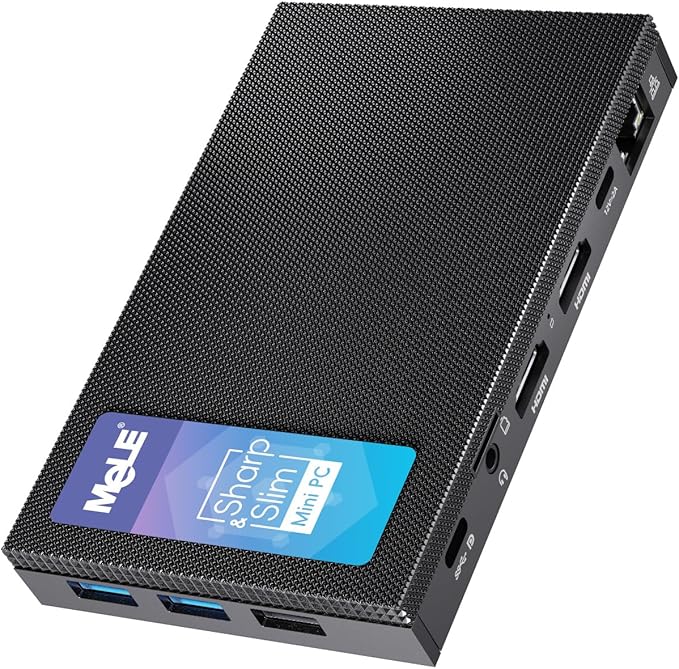
I use a MeLE Quieter 4C myself. It is a fanless mini PC with 4 cores and 8 GB of memory: enough for EMHASS, and quiet enough to run day and night in the house. Zigbee, Z-Wave and the RS485 buses are connected to it over USB. What that looks like is described in Z-Wave in Home Assistant.
How I installed Home Assistant on that mini PC, from BIOS settings to the first apps, is described step by step in Installing Home Assistant on a mini PC.
2. Install Home Assistant OS
There are several installation types. Home Assistant OS is the recommended one: everything is included, add-ons and backups too. The steps are on home-assistant.io.
3. Start with measuring, not with controlling
First connect everything you can read: your smart meter, your inverter, your energy tariff. Turn on the energy dashboard and watch the data for a week. Only then start controlling things. Most of the mistakes I made could have been avoided if I had looked more carefully first. They are listed on Lessons from practice (in Dutch for now).
4. Make backups
Turn on automatic backups, preferably also to a location outside the device. An update or an experiment that goes wrong is then no disaster.
How I set this up myself, with a copy off the mini PC and a notification when a backup fails, is in Home Assistant on a mini PC: installation and backup.
Read more
- home-assistant.io: the official site, with documentation per integration
- community.home-assistant.io: the forum, where almost every question has been asked before
- How it works: how I turned it into an energy system
This page contains affiliate links. As an Amazon Associate I earn from qualifying purchases. The price stays the same for you.
Koning Renzo is an independent site, not affiliated with the Home Assistant project or the Open Home Foundation. Leave work on 230/400 V to a qualified electrician.