
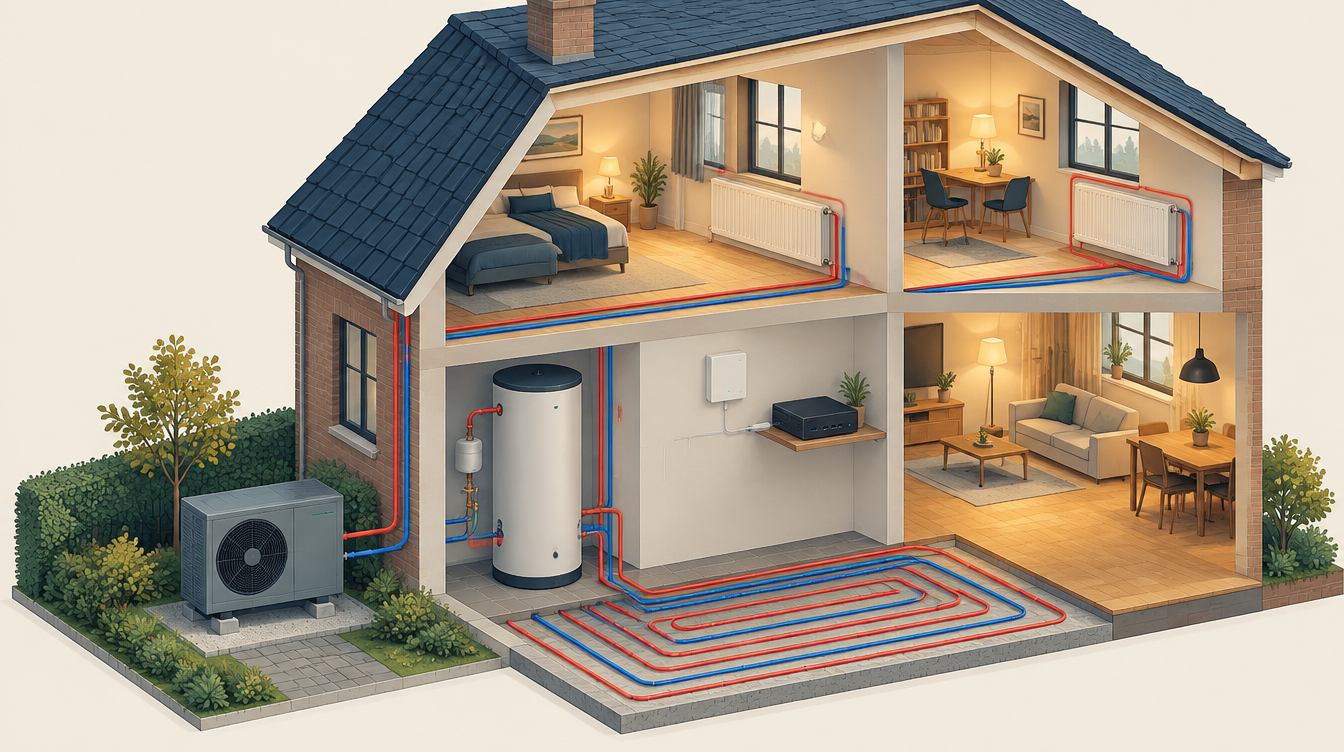
The heat pump is a 9 kW LG Therma V R290 monobloc, with one heating circuit (underfloor heating downstairs and radiators upstairs on the same flow temperature) and a 300-litre hot water tank. Home Assistant reads and controls it over Modbus. This page describes how, and which LG reports you should not believe blindly.
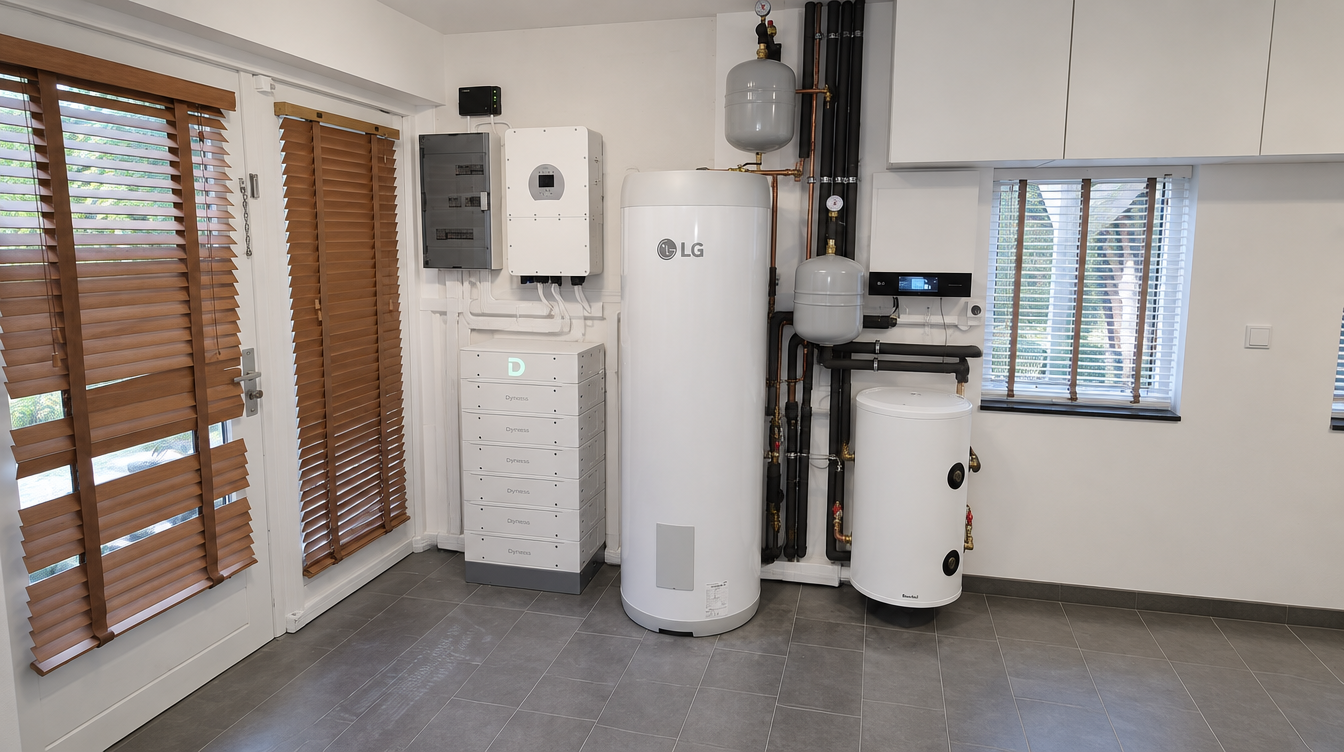
The connection
Modbus RTU is a simple serial protocol over two wires (RS485). The LG has that connection on the Control Unit, terminals 23 (A) and 24 (B). Settings: slave address 33, 9600 baud, 8N1.
The LG Meter Interface uses the same terminals, so it cannot coexist with Modbus. I therefore measure the electrical consumption externally, with a Shelly Pro 3EM on the outdoor unit’s 3-phase circuit. How to check that the current clamps are on correctly is explained on Measuring and calibrating.
To enable Modbus, a few DIP switches on the Control Unit need to be changed (including Modbus slave and open protocol). Note: on this unit the labelling was the reverse of the documentation. The Control Unit carries mains voltage; leave opening and wiring it to a qualified electrician.
Two buses, two adapters
The Deye and the LG each have their own USB-RS485 adapter. Two integrations on one adapter give Errno 11: exclusively lock port.
Both adapters are a Waveshare USB-to-RS485 adapter. It has screw terminals, so the wires from terminals 23 (A) and 24 (B) go straight to A+ and B−. If it does not work, swap A and B first: that is the most common RS485 mistake.
The port is in secrets.yaml, on the fixed /dev/serial/by-id/ path. A package update that reset the port cost three days of frozen values, because HA kept showing the last known values. Since then there is a sensor that reports whether the Modbus connection is alive: the last update must be less than 2 minutes old.
Which registers I use
Addresses are 0-based. Input registers are read with function 04, holding registers with function 03. Check them against the Modbus documentation for your model.
| Type | Address | Meaning |
|---|---|---|
| Input | 0 | Error code |
| Input | 2 / 3 | Return / flow temperature |
| Input | 5 | Boiler temperature |
| Input | 8 | Flow rate |
| Input | 12 / 13 | Outdoor temperature / water pressure |
| Holding | 0 | Operating mode (0 cooling, 3 auto, 4 heating) |
| Holding | 4 | Circuit 1 shift |
| Holding | 8 | Hot water target |
| Coil | 0 | Space heating main switch |
| Coil | 1 / 3 | Hot water / disinfection |
What the LG reports reliably, and what it does not
- Hot water mode. The status bit turned out to be unreliable: the boiler went from 21 to 49 °C with the bit off. Hot water is now detected by the bit or by a boiler heating faster than 3 K/h while the compressor runs.
- Electric heater. The bit switches on during disinfection, even without a heater connected; the LG only drives the relay. A switch in HA decides whether that bit counts anywhere.
- Cooling. The cooling bit is always on, even with cooling not enabled. The operating state looks at the operating mode, not at that bit.
- No communication with the outdoor unit. Then the LG reports 1200 °C for flow and return. Those values are marked as
nan_value, so they do not end up in graphs and COP calculations.
The heating curve
A heating curve sets the flow temperature for a given outdoor temperature. With the factory curve of 50/40 and no room feedback, the LG heated the house from 22.5 to 24 °C, and the compressor cycled 39 times in 24 hours.
It is now set to 42/28: 42 °C flow at −10 °C outside, 28 °C at 18 °C outside. It no longer short-cycles on that. The plan is to lower the top end by one degree every week, as long as it stays warm enough upstairs.
A room thermostat in Home Assistant
The Honeywell thermostats are not wired to the LG. Home Assistant switches the heating circuit on and off over Modbus, based on the temperature downstairs and upstairs:
- a hysteresis of 0.5 K, because the thermostats measure in steps of 0.5 K;
- at least 60 minutes on and 60 minutes off;
- a safety net: below 16 °C the heating switches on immediately, with a notification;
- if the living room sensor drops out briefly, the thermostat first falls back to the upstairs sensor, and only steps in when both have been gone for more than 15 minutes;
- without a Modbus connection the thermostat does nothing.
Because there is one circuit without valves, downstairs and upstairs have different roles: upstairs may switch the heating on when it gets too cold there, but downstairs decides when it switches off again.
What I would do differently
- From the start, a separate adapter per bus, the port in
secrets.yaml, and a connectivity sensor before building dashboards. - Lower the factory heating curve straight away instead of short-cycling for a week first.
- Compare every status bit with a measurement before building a calculation on it.
The incidents behind these lessons are on Lessons from practice (in Dutch for now).
This page contains affiliate links. As an Amazon Associate I earn from qualifying purchases. The price stays the same for you.
These values apply to one installation. Check them against your own documentation; leave work on 230/400 V to a qualified electrician. Status: October 2026.