
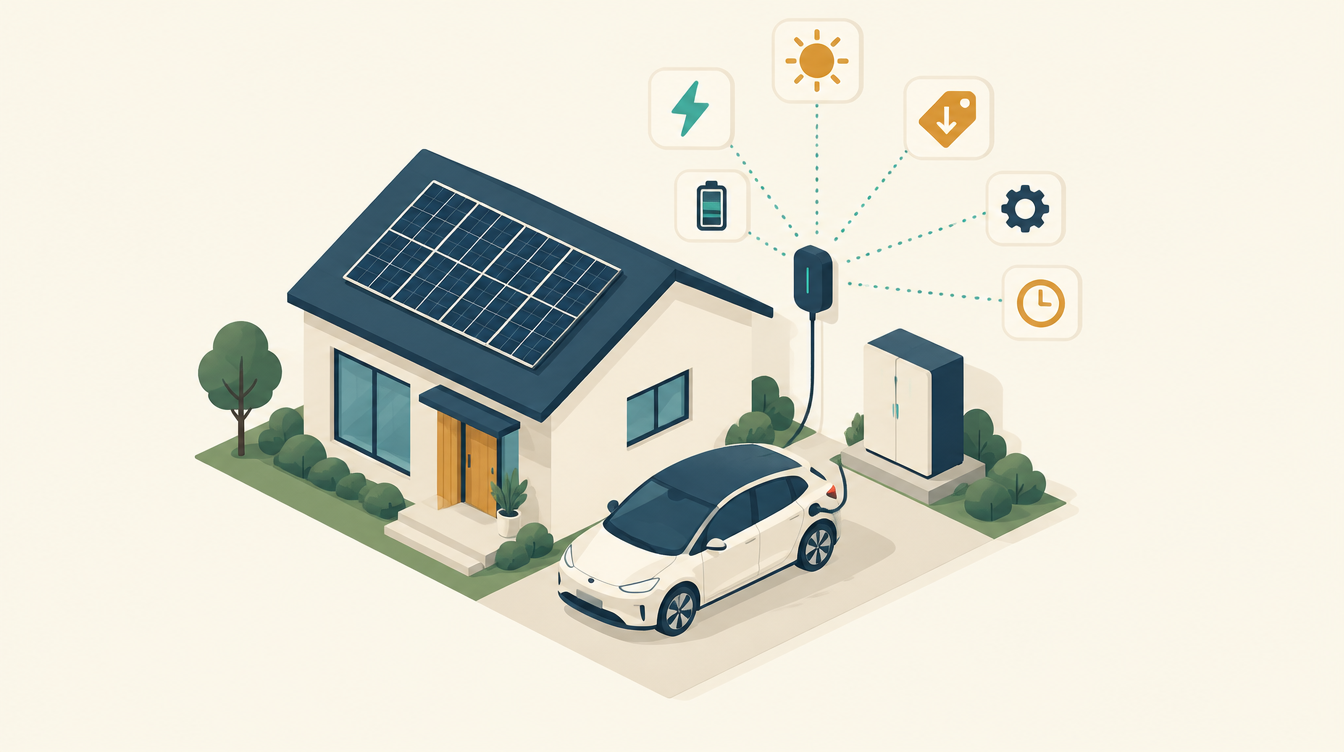
With evcc in Home Assistant you charge your electric car on solar surplus or in the cheapest hours, without having to look at it every day. On its own, evcc is easy to install. It only gets tricky when there is also a home battery, a smart planner like EMHASS, and a car that sometimes falls asleep. This is my guide to evcc in a house like that: how I install it, why I use it, what it can do, and everything I ran into along the way.
Want to know first what evcc actually is? Read What is evcc, and why my car is not charged by EMHASS. This post is about the practice.
Why I use evcc
An electric car is the biggest consumer in the house. If you simply charge it when you get home, you usually charge in the most expensive hour of the day, and tomorrow’s sun goes to the grid. evcc solves that. It is free, open source, runs locally and knows hundreds of chargers and cars. You could build it yourself in Home Assistant, but then you rebuild what evcc already does well: switching phases, minimum charging currents, riding out clouds.
What evcc can do
evcc looks at your meters (grid, solar, battery), the electricity price and the car, and decides how much current the charger may deliver. The main features:
- Charging modes. “PV” (Solar) charges only on solar surplus. “Min+PV” always charges at least 6 amps, with solar on top. “Fast” charges at full power. And “Off” is off. The names in the interface can differ a little per version and language.
- Charging plans. With a dynamic tariff you say: “80 percent by 7 o’clock”. evcc finds the cheapest hours for it.
- Price limit. If electricity is cheaper than a limit you choose, evcc also charges from the grid.
- Phase switching. One phase when there is little sun, three when there is plenty.
- Taking the home battery into account. evcc includes the battery in the surplus, and can give it priority or use it as a buffer.
- Solar and price forecasts, and per car how much was charged and how much of it was solar.
- Integration with Home Assistant. Mode, charging power and status show up as entities in Home Assistant, so you can use them in your own dashboard and automations.
My setup, and one rule that decides everything
My setup: a Zaptec Go 2, a Kia e-Niro, a Deye inverter with a 30.7 kWh Dyness home battery, solar panels with micro-inverters, Tibber quarter-hour prices, and EMHASS as the planner for the battery. In that whole, evcc has one job:
| Device | Owner |
|---|---|
| Charger | evcc, and nobody else |
| Home battery | EMHASS plans, one Home Assistant automation executes |
| Heat pump | The heat pump automations |
evcc can also control a home battery: hold it while charging, or charge it from the grid. Don’t do that if something else already controls that battery. Two parties writing to the same inverter at once goes wrong. I learned that once with two automations: my Deye battery exported itself empty because of two writers on one inverter. Since then, “one owner per device” has been the basis of my whole system. evcc may see the battery, to calculate the surplus, but not control it.
Installing evcc in Home Assistant
Step 1: the add-on
- Install evcc as an add-on in Home Assistant (Add-on Store; the repository is in the evcc documentation).
- The configuration is one file:
evcc.yaml, in the add-on’s configuration folder (for me/addon_configs/49686a9f_evcc/). The File Editor add-on only reaches it if you switch off “Enforce Basepath” in its settings. An SSH terminal works too. - The web interface runs on port 7070. You can set up a lot there with a wizard too. I prefer working with the file, so I know what’s in it.
- Create a long-lived access token in Home Assistant for evcc (profile → Security → Long-lived access tokens). evcc uses it to read your meters from Home Assistant.
Step 2: meters, charger and tariff
A cleaned-up version of my configuration, to show the structure. Replace the capitalised words with your own details.
meters:
  - name: deye_grid
    type: template
    template: homeassistant
    usage: grid
    uri: http://HA_IP:8123
    token: HA_TOKEN
    power: sensor.ss_grid_ct_power
  - name: deye_pv
    type: template
    template: homeassistant
    usage: pv
    uri: http://HA_IP:8123
    token: HA_TOKEN
    power: sensor.ss_gen_power
  - name: deye_battery
    type: template
    template: homeassistant
    usage: battery
    uri: http://HA_IP:8123
    token: HA_TOKEN
    power: sensor.ss_battery_1_power
    soc: sensor.ss_battery_1_soc

chargers:
  - name: zaptec_go2
    type: template
    template: zaptec
    user: ZAPTEC_USER
    password: ZAPTEC_PASSWORD
    id: ZAPTEC_CHARGER_ID

site:
  title: Home
  meters:
    grid: deye_grid
    pv:
      - deye_pv
    battery:
      - deye_battery
  residualPower: 100

loadpoints:
  - title: Driveway
    charger: zaptec_go2
    mode: pv
    phases: 0          # 0 = evcc switches between 1 and 3 phases itself
    minCurrent: 6
    maxCurrent: 16
    enable:
      threshold: 0
      delay: 1m
    disable:
      threshold: 0
      delay: 3m

tariffs:
  currency: EUR
  grid:
    type: tibber
    token: TIBBER_TOKEN
A few choices explained:
- Meters from Home Assistant instead of directly from the inverter. My inverter hangs on one RS485 adapter used by the Sunsynk add-on. A second party on the same bus gives “Errno 11: exclusively lock port”. Via Home Assistant, every party reads the same numbers.
- Watch the signs. evcc expects grid power to be positive when importing and battery power to be positive when discharging. If your sensors don’t match, evcc sees a surplus where there is a shortage.
residualPower: 100keeps a 100 W margin, so evcc doesn’t sit exactly on the edge between import and export.- Phases at 0. evcc then switches itself: one phase with little sun (from about 1.4 kW), three phases above roughly 4 kW. With little sun, that is the difference between charging and not charging.
Step 3: preparing the Zaptec
Two things you don’t set in evcc, but in the Zaptec portal:
- Back to three phases. A Zaptec Go 2 that has switched to one phase doesn’t go back to three by default. Only someone with a service role can enable “allow chargers to return to three phases”: your installer or Zaptec support. Without that setting, the charger stays stuck on one phase after the first cloudy afternoon.
- Base current at zero. Set the installation in the portal to “no charging” or 0 A as the base, so the Zaptec doesn’t start on its own when evcc is briefly unreachable.
How I use the Zaptec Go 2 otherwise, with its MID meter and Tap Electric: Charging at home with Zaptec, Tap Electric and ERE certificates (in Dutch, this scheme only applies in the Netherlands).
Step 4: the solar forecast
For its charging plans, evcc wants to know how much sun is coming. The simplest route is Open-Meteo, with the orientation of your roof. Mine had an error that showed up everywhere in my system: the roof was set to 205 degrees, south-west, but had never been measured. In reality the panels face almost due south. With a sun position calculator (SunCalc) and the time of your highest yield, you can check that in a minute. Mind the convention: in Open-Meteo, south is 0 and east is negative. The full story is in the logbook in which the roof turned out to face due south.
Now I use Solcast, which forecasts clearly better for me (see the logbook on Solcast and EMHASS). evcc can query Solcast itself, but the free account has ten calls a day, and the Solcast integration in Home Assistant already uses them. So Home Assistant converts the forecast into the format evcc expects (a list with start, end and power in watts), and evcc reads it through the REST API. This block goes under the same tariffs: as the Tibber tariff:
tariffs:
  solar:
    - type: custom
      forecast:
        source: http
        uri: http://HA_IP:8123/api/states/sensor.solcast_evcc_forecast
        headers:
          Authorization: Bearer HA_TOKEN
        jq: .attributes.rates
Zero extra API calls, and evcc and EMHASS calculate with exactly the same sun. Don’t store the list in Home Assistant’s recorder (an exclusion in configuration.yaml); it is about 15 kB each time.
Step 5: the car that falls asleep
A Kia e-Niro falls asleep when a charging session is interrupted, and after that it no longer accepts power, even when evcc starts charging again. When charging on solar, a session is interrupted all day. At first I set evcc to “always charge” (a constant 6 amps, about 1.4 kW), but then you also charge when there is no sun.
The clean solution: let evcc wake the car itself. I have the Kia Connect integration in Home Assistant, with a script that sends the “start charging” command to the car. In evcc you link the car to Home Assistant and enter that script as the wake-up service. evcc knows exactly when it wants to charge, and only wakes the car then. A separate automation that tries to guess this itself is now only a safety net, and it stays off as long as evcc does the job. Kia Connect has a daily limit on commands, and duplicate wake-up commands hit it quickly. The details are in Kia e-Niro not charging after a pause: waking it with evcc and Home Assistant.
Step 6: linking modes to your own controls
evcc creates a select entity for the charging mode in Home Assistant (for me select.evcc_zaptec_go_2_mode, but look up the right name). My dashboard has one mode button for the whole house, and a small automation sets evcc with it too:
| House mode | evcc |
|---|---|
| Auto | PV: solar surplus only, or the charging plan |
| Fast charging | Fast: full power |
| Holiday | Off |
What to watch out for with a home battery
Does the car charge from the home battery?
That was my first question. The answer: only if you allow it, and usually you don’t want to. evcc calculates the surplus from grid, solar and battery. For me, the home battery has priority up to 60 %, and “battery as charging buffer” is off. In “Min+PV”, the minimum comes from the grid in the evening. That makes sense. A kWh from the home battery has already cost conversion losses and wear. Putting it into a car that can also charge cheaply from the grid is rarely smart.
More important: the inverter doesn’t know a car is charging. A Deye in “zero export” tries to keep the grid at zero and discharges the battery for everything that is consumed, including the car. My translator (the automation that is the only one writing to the inverter) therefore limits the discharge current as soon as the car draws more than 1.5 kW. The battery then only supplies what the house uses; the car comes from the grid. When solar charging below 1.5 kW, the battery can briefly help out when a cloud passes, until evcc has turned the current down. That is negligible.
The grid connection
My car charges at 11 kW and the battery can charge at 11 kW from the grid. Together with the house, that doesn’t fit on a 3×25 amp connection. Two measures: on every run, EMHASS gets the grid connection minus the car’s charging power as its maximum, so it doesn’t plan battery charging that doesn’t fit. And during balancing or emergency charging, the translator limits the charging current to what is left after the house and the car. The result on a night when the car charges: the planned battery charge moves to another night. The car comes first.
kW or W?
The most expensive mistake I made was a unit. evcc reports the charging power to Home Assistant in kilowatts, the Zaptec integration in watts. My “car charging power” sensor took the higher of the two, as watts. So 10.3 kW via evcc became 10 watts, the car didn’t disappear from the house consumption, and EMHASS learned that my house uses 6 kW at night. For a week it planned on that. Always check the unit of every sensor you combine, and let the template convert per source. More on this: EMHASS thought my house used 6 kW at night.
Know where the charger is connected
I thought my charger was before the inverter’s measurement. Until one morning there was 53 kWh of “house consumption”, 40 of which was the car. The Deye’s current clamps are at the main connection, so everything behind them counts, including the car. Because my charging costs go through my company, Home Assistant now explicitly subtracts the charger’s energy (the Zaptec’s cumulative counter) from consumption, costs, savings and self-sufficiency. Otherwise the home battery suddenly seems to cost money on a charging night.
Your planner’s load forecast
If EMHASS (or another planner) forecasts consumption from history, the car doesn’t belong in it. A car that charges 40 kWh three nights a week turns every night into an average of 17 kWh. Then the battery plans for consumption that isn’t there most nights. So I give EMHASS a sensor “house consumption without car and heat pump”. After the kW error, it took a few weeks for the polluted history to wash out; for that period I temporarily switched the forecast to a shorter method. How to set up EMHASS itself: Install EMHASS in Home Assistant.
What I still want
The EMHASS documentation describes a setup in which EMHASS also plans the car’s charging, and evcc only executes it. Then one planner weighs the car, the battery, the heat pump and the hot water against each other. Because my car charges through my company, that isn’t urgent for my own bill. evcc’s own charging plan on the Tibber prices already handles cheap charging fine. It’s on the list for when the work on the heat pump is done.
Frequently asked questions about evcc in Home Assistant
Do I need Home Assistant for evcc?
No. evcc also runs on its own, on a Raspberry Pi or in Docker. With Home Assistant it is easier though: you install it as an add-on, read your meters from Home Assistant and control evcc from your own dashboard.
Does evcc work with a Zaptec Go 2?
Yes, through the Zaptec cloud (template zaptec). Do have the return to three phases enabled in the Zaptec portal, or it stays on one phase after a phase switch.
Can evcc control my home battery?
With some inverters, yes. Only do it if nothing else already controls the battery. For me, evcc only reads the battery, and EMHASS controls it.
Which mode do I use for solar charging?
“PV” for solar only. “Min+PV” if the car must always charge, even without sun. With a dynamic tariff, combine PV with a charging plan or price limit, so the car tops up in the cheapest hours at night.
In summary
- evcc controls the charger, and only the charger. The home battery has one other owner.
- Read the meters via Home Assistant and check the signs.
- Phases on automatic, and let the Zaptec return to three phases.
- Measure your roof instead of copying it, and share one solar forecast between all systems.
- Let evcc wake a sleeping car itself.
- Protect the home battery and the grid connection from the car, and keep the car out of your house figures and your load forecast.
- And check the unit of every sensor.
How the car fits into my whole system: Car and evcc.
What I use
- MeLE Quieter 4C mini PC: runs Home Assistant and the evcc add-on.
- Waveshare USB to RS485: reads the Deye inverter, which is where evcc gets its meters via Home Assistant.
This article contains affiliate links. As an Amazon Associate I earn from qualifying purchases. The price stays the same for you.
This works in my situation: Home Assistant with the evcc add-on, a Zaptec Go 2, a Kia e-Niro and a Deye inverter with a Dyness battery, in October 2026. Check it against your own documentation, and leave work on 230/400 V to a qualified electrician. Sources: the evcc documentation, the Zaptec portal and my own logbook on this site.
Leave a Reply