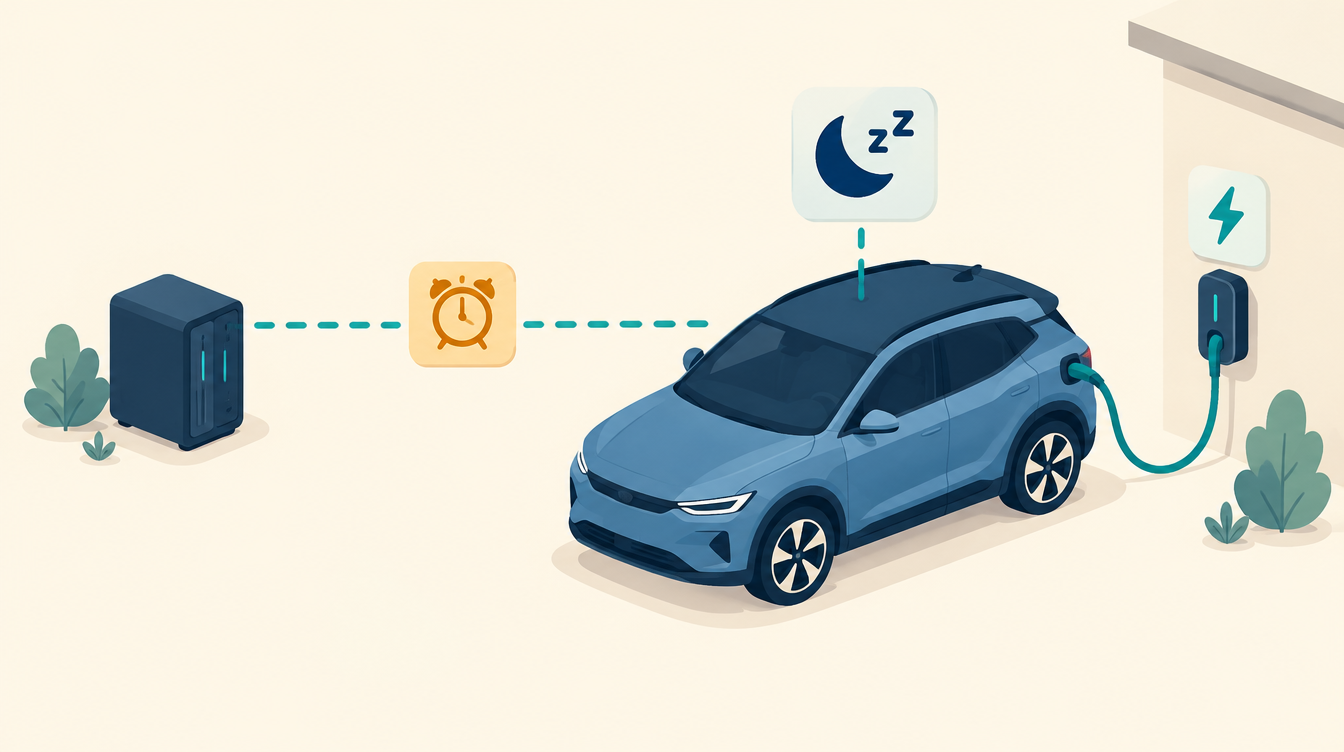
Around July 2026 our Kia e-Niro suddenly stopped charging by itself. The Kia e-Niro was not charging even though the charger offered power and the plug was in: the car drew nothing. After a software update from Kia, the car goes into sleep mode when a charging session is interrupted, and after that it no longer responds to the charger. For smart charging that is exactly the problem: smart charging works precisely by pausing and resuming.
The symptom: Kia e-Niro not charging
- The plug is in and the charger shows “waiting” or “ready”.
- evcc wants to charge and allocates at least 6 A to the charger.
- The charging power stays around 0 W.
It happens precisely with smart charging: evcc pauses charging when the sun disappears or the price goes above the limit, and resumes when conditions are favourable again. During that pause the Kia falls asleep, and resuming fails.
The first workaround: always charge
The quickest way out was to set evcc so that it never fully interrupts the session: always at least 6 A, about 1.4 kW on one phase. Then the car doesn’t fall asleep. But then you also charge when power is expensive and the sun is gone. That’s the opposite of what I want, and yet the Kia charged like that for about three months.
The fix: evcc has the car woken up
You can wake a Kia remotely with a charge command via Kia Connect. In Home Assistant you do that with the Kia integration (kia_uvo, installable via HACS). I made a small script for it:
script:
  kia_wekken:
    alias: "Wake Kia (for evcc)"
    mode: single
    max_exceeded: silent
    sequence:
      - action: kia_uvo.start_charge
        data:
          device_id: <your-car-device-id>
I let evcc call that script. In evcc you can add a car as a Home Assistant vehicle, with a service that evcc uses to wake the car. That’s where I enter script.kia_wekken. The big advantage: evcc knows exactly when it wants to charge. So it only wakes the car at the moment it’s needed, without me having to guess.
This way evcc remains the only one controlling the charger. The script only sends a wake command to the car and writes nothing to the charger. That fits my rule of one owner per actuator.
A safety net in Home Assistant
In case evcc misses the wake-up, I also have an automation that keeps an eye on things itself. First a sensor that turns on when the charger offers power but the car draws nothing:
template:
  - binary_sensor:
      - name: "Kia laadt niet ondanks aanbod"
        state: >
          {{ is_state('binary_sensor.laadpaal_stekker', 'on')
             and states('sensor.laadpaal_modus') in ['connected_requesting', 'connected_finished']
             and (state_attr('binary_sensor.laadpaal', 'final_stop_active') | int(0)) == 0
             and states('sensor.laadpaal_toegewezen_stroom') | float(0) >= 6
             and states('sensor.laadpaal_vermogen') | float(0) < 100 }}
The most important condition is final_stop_active. It indicates that the charger stopped on purpose, for example because evcc is pausing. In that case you shouldn’t wake the car. The entity names are those of my Zaptec; with a different charger they have different names. (The sensor name is Dutch for “Kia not charging despite supply”; I kept it because the entity ID below is derived from it.)
The automation itself:
- triggers when that sensor has been on for 3 minutes;
- doesn’t wake the car if it is already at or above its charge target;
- tries at most 3 times, 15 minutes apart, and stops as soon as the car draws more than 500 W, the plug is pulled or the supply stops;
- sends a notification to my phone if three attempts don’t help.
automation:
  - id: kia_wekken
    alias: "EV - Wake Kia when charging doesn't start"
    mode: single
    trigger:
      - platform: state
        entity_id: binary_sensor.kia_laadt_niet_ondanks_aanbod
        to: "on"
        for: "00:03:00"
    condition:
      - condition: state
        entity_id: input_boolean.kia_wekken_actief
        state: "on"
      - condition: template
        value_template: >
          {% set soc = states('sensor.kia_accu_niveau') %}
          {{ not is_number(soc) or soc | float < states('input_number.kia_laaddoel') | float(80) - 1 }}
    action:
      - repeat:
          count: 3
          sequence:
            - action: script.kia_wekken
              continue_on_error: true
            - wait_template: >
                {{ states('sensor.laadpaal_vermogen') | float(0) > 500
                   or is_state('binary_sensor.laadpaal_stekker', 'off')
                   or is_state('binary_sensor.kia_laadt_niet_ondanks_aanbod', 'off') }}
              timeout: "00:15:00"
              continue_on_timeout: true
            - if:
                - condition: template
                  value_template: "{{ wait.completed }}"
              then:
                - stop: "Kia is charging (or situation changed)"
      - action: notify.mobile_app_telefoon
        data:
          title: "Kia is not accepting power"
          message: "Three wake attempts did not help. Check the car."
Watch out: not both at the same time
Kia Connect has a daily limit on the number of remote commands you can send. If you let both evcc and the automation wake the car, it gets double commands and you hit that limit sooner. That’s why the automation has a switch (input_boolean.kia_wekken_actief) that stays off as long as evcc handles the waking. I only turn the safety net on if evcc unexpectedly drops the ball.
Where it stands now
After about three months on “always charge”, waking via evcc has been running since 7 October. If it goes well for a few days, I’ll turn “always charge” off, so the car really only charges on solar or below the price limit again. I’ll write about how that works out in a future logbook.
The lesson
An update from a manufacturer can silently break your smart control. The system gave no error; the car simply stopped accepting power. And a workaround that is “for now” easily stays in place for months. A sensor that checks whether supply and consumption match catches that kind of silent fault, just like the rest of my monitoring.
More about how evcc is set up in my home: What is evcc? and Car and evcc.
This works in my situation: a Kia e-Niro, a Zaptec charger and evcc. Entity names, integrations and the car’s behaviour may be different for you. Check it against your own documentation.
Leave a Reply