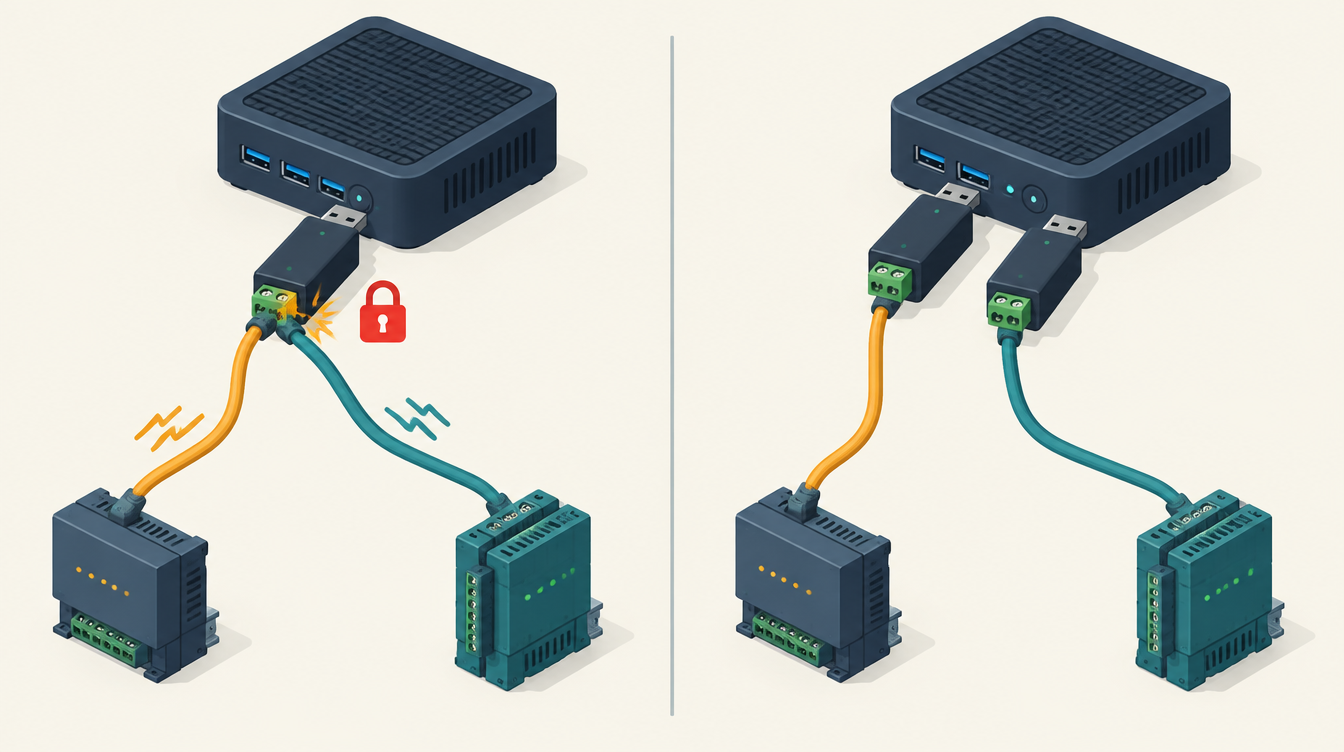
When I wanted to read my LG heat pump via Modbus alongside my Deye inverter, Home Assistant gave me the Errno 11 exclusively lock port error:
[Errno 11] Could not exclusively lock portThe cause is simple, and so is the fix. But behind it lies a second pitfall that later cost me three days.
The cause of Errno 11: exclusively lock port
A serial port, such as a USB-RS485 adapter, can only be opened by one process at a time. The Deye was already being read by the Sunsynk add-on, via its own adapter. Home Assistant’s Modbus integration tried to open the same adapter for the LG. It was taken: Errno 11.
In theory you can put two devices on one RS485 bus, with different slave addresses. But then one program has to manage the whole bus. An add-on and an integration that each want to read their own device cannot share one adapter.
The fix
Each bus gets its own adapter. The Deye keeps its own, the LG gets a second USB-RS485 adapter.
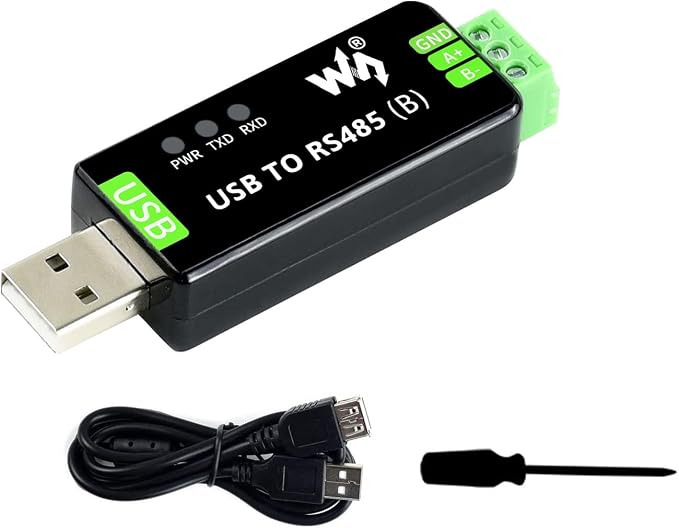
For both buses I use a Waveshare USB-to-RS485 adapter: one for the Deye, one for the LG. The two wires of the bus go straight onto the A+ and B− screw terminals, no soldering needed. The TXD and RXD lights are handy when troubleshooting: if they don’t blink, nothing is going over the bus.
Never use /dev/ttyUSB0 or /dev/ttyUSB1 for this: those numbers can swap after a restart. Use the fixed path under /dev/serial/by-id/, which is based on the adapter’s serial number. With two identical adapters that is extra important: only the serial number tells them apart. I put it in secrets.yaml, so it is in one place:
# secrets.yaml (example)
lg_heatpump_modbus_port: /dev/serial/by-id/usb-1a86_USB_Single_Serial_<serial-number>-if00
lg_heatpump_modbus_slave: 33
In the Modbus configuration you refer to it with !secret lg_heatpump_modbus_port. You can see which path belongs to which adapter in Home Assistant under Settings → System → Hardware.
The second pitfall
A few days later a package update set the LG’s port back to the Deye’s adapter. This time there was no obvious error: the heat pump seemed to work normally, but the values were frozen for three days. How I monitor that now is described in Modbus values frozen without an error message.
More about connecting the LG: Heat pump via Modbus. How the adapters hang on my server together with the Zigbee and Z-Wave sticks: Z-Wave in Home Assistant. All incidents: Lessons from practice (in Dutch).
This article contains an affiliate link. As an Amazon Associate I earn from qualifying purchases. The price stays the same for you.
These values apply to one installation. Check them against your own documentation; leave work on 230/400 V to a qualified electrician.
Leave a Reply