
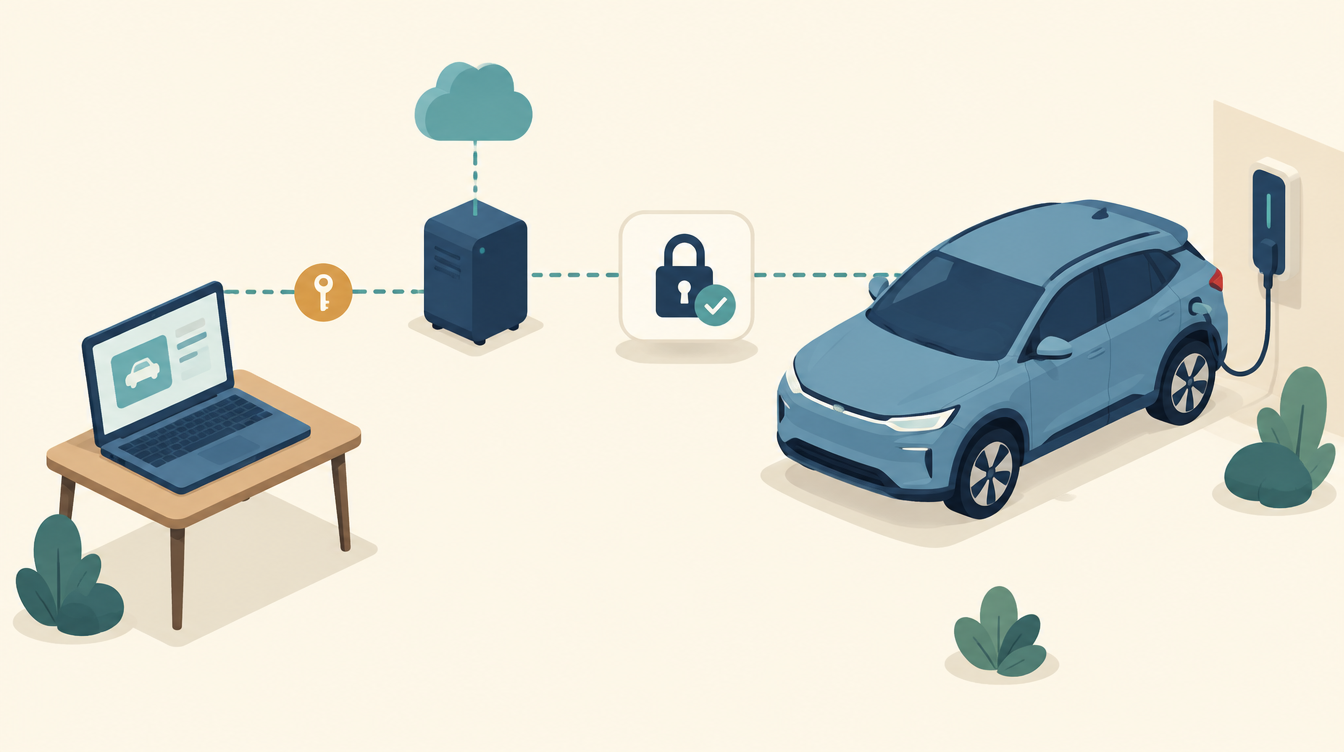
Our Kia e-Niro is connected to Home Assistant via Kia Connect. That lets me see the battery level, the range and whether it is plugged in, and I can wake the car remotely. But one day the Kia Connect integration in Home Assistant could no longer log in. Kia has added a reCAPTCHA to the European login, and Home Assistant cannot solve it. The solution: log in yourself once in a browser and use a refresh token instead of your password.
The integration: kia_uvo
I use the community integration Kia Uvo / Hyundai Bluelink. It talks to the same servers as the Kia Connect app, via the Python library hyundai_kia_connect_api. You install it via HACS:
- Open HACS and search for Kia Uvo.
- Download the integration and restart Home Assistant.
- Go to Settings → Devices & services → Add integration and choose Kia Uvo.
- Choose region Europe and brand Kia.
You then get a device with dozens of entities. The most important ones for me:
- EV Battery Level: the charge level of the traction battery.
- EV Range: the estimated range.
- EV Battery Plug and EV Battery Charge: is it plugged in, and is it charging?
- AC/DC Charging Limit: the charge target in the car, as a slider.
- Car Battery Level: the 12V battery. Useful to keep an eye on.
- Last Updated At: how old the data is.
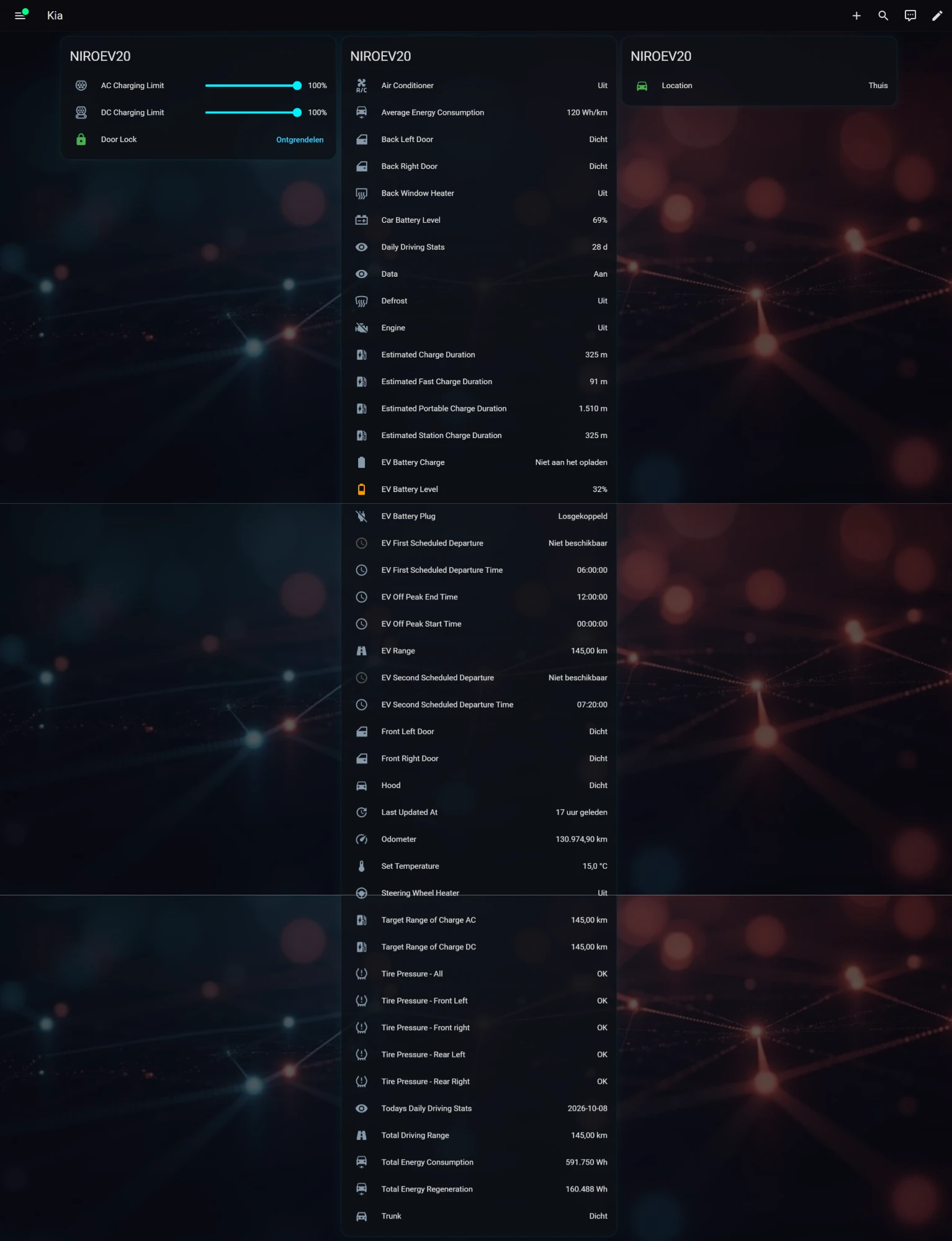
There are also actions, such as kia_uvo.start_charge. I use that to wake the car when it stops charging after a pause.
Be careful with refreshing
By default the integration fetches the data stored on the Kia servers every 30 minutes. Those are the last known values, not live data. In my dashboard “Last Updated At” showed 17 hours ago; that is normal when the car is parked. A force refresh asks the car itself for new data. By default that happens every 4 hours, except at night. Don’t set it too often: each time the car wakes up, that drains the 12V battery, and Kia has a daily limit on commands.
The Kia Connect login problem
When you log in in Europe, Kia now asks for a Google reCAPTCHA. A human clicks it away; a Python integration cannot. So logging in with your e-mail address and password in Home Assistant fails. The integration gives an authentication error and the entities become unavailable.
The makers of the library describe the solution in the wiki: Kia Europe Login Flow. You log in yourself once, in a real browser. That gives you a refresh token. You enter that token in Home Assistant in place of your password.
The solution: getting a refresh token
On Windows you do this with a Selenium script from the wiki. You need Google Chrome and Python 3.10 or newer. Open PowerShell:
mkdir $env:TEMP\kia
cd $env:TEMP\kia
py -m venv .venv
.\.venv\Scripts\Activate.ps1
pip install --upgrade pip
pip install selenium requests webdriver-manager

# Download KiaFetchApiTokensSelenium.py via the link in the wiki, then:
py .\KiaFetchApiTokensSelenium.py
The script opens a Chrome window that pretends to be the Kia app. Log in there with your Kia account and solve the reCAPTCHA. Leave the window open until it is done. The script then prints a Refresh Token and an Access Token. You only need the refresh token.
For Mac and Linux the same wiki has a variant. On a server without a screen, such as a Raspberry Pi, you do it manually: you open the URLs from the script yourself in your browser and paste the final redirect URL back.
Entering it in Home Assistant
Add the integration again, or choose Reconfigure on the existing integration:
- Region: Europe
- Brand: Kia
- Username: the e-mail address of your Kia account
- Password: the refresh token, not your Kia password
- PIN: only if the integration asks for it
After that the entities come in again. For me the sensors and the wake-up command worked straight away.
Treat the token like a password
With the refresh token, someone has full access to your Kia account and therefore to your car: doors, climate, charging and location. Store it in a password manager and never paste it anywhere public, not even in an issue or forum. Think it has leaked? Log out all sessions in the Kia app and fetch a new token.
The lesson
A connection to a manufacturer’s cloud is not solid ground. Kia can change the login at any moment, and then your automation stops. So keep an eye on how old the data is, and make sure your control doesn’t break when the car is briefly unknown. That is also how I do it in the rest of my monitoring.
This works in my situation: a Kia e-Niro in Europe, Home Assistant with the kia_uvo integration from HACS, and a token fetched on Windows. Kia may change the login flow again. Check it against your own documentation and the current wiki.
Leave a Reply