
Smart Home Assistant irrigation: that was the goal. An ordinary irrigation timer waters every evening, whether it has rained or not. My garden now only gets water when the soil is really dry, and I can still start any hose by hand from my phone. Everything runs in Home Assistant, with GIEX Zigbee irrigation timers and a Gardena water distributor.
The hardware
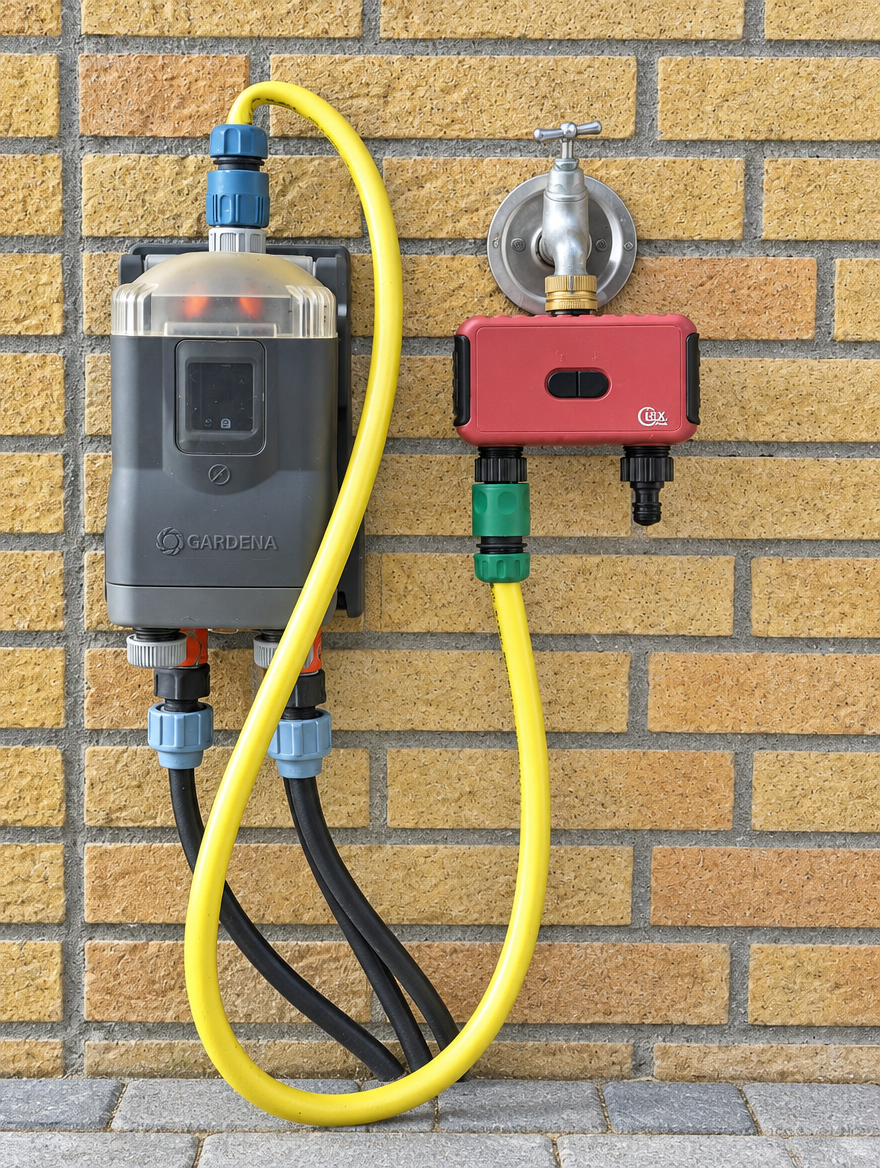
I have two zones: the front garden and the back garden (by the parking space). Each zone has its own GIEX timer with two outlets, hose 1 and hose 2.
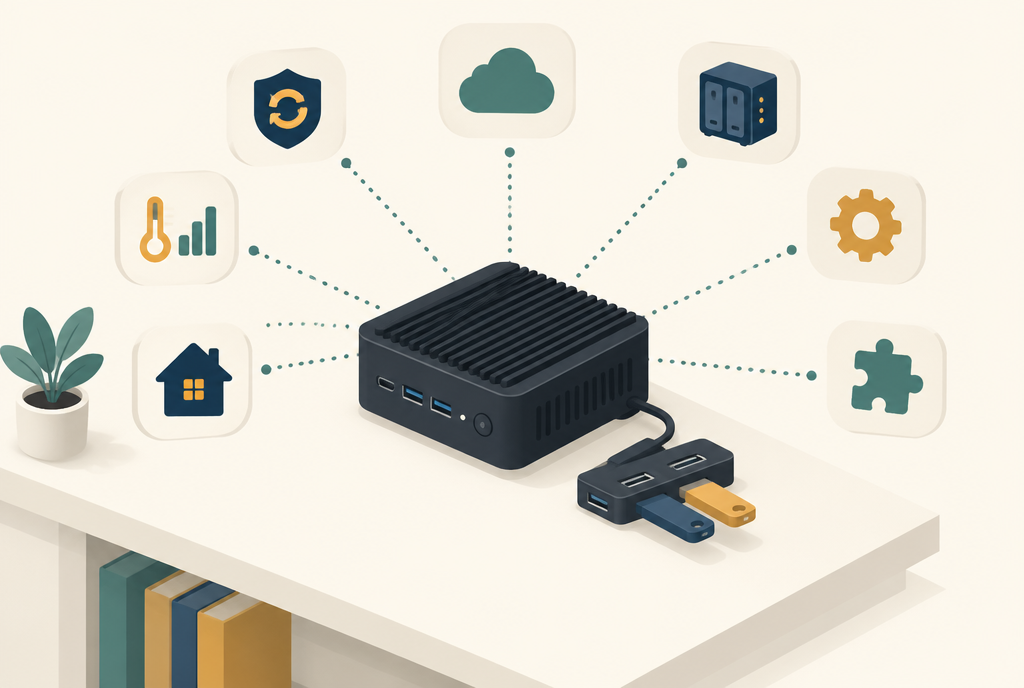
- Home Assistant server: a fanless MeLE Quieter 4C mini PC, with an Aeotec Zi-Stick as Zigbee dongle. That way I don’t need separate hubs or cloud apps.
- GIEX Zigbee irrigation timers with two outlets. They sit on the tap, run on batteries and have a separate valve for each outlet.
- Gardena 1197-20 automatic water distributor behind one of the outlets. It splits the water over several groups, one group at a time.
- Zigbee soil moisture sensor (model QT-07S) in the garden, which reports the moisture level and temperature of the soil.
The Zigbee dongle: Aeotec Zi-Stick
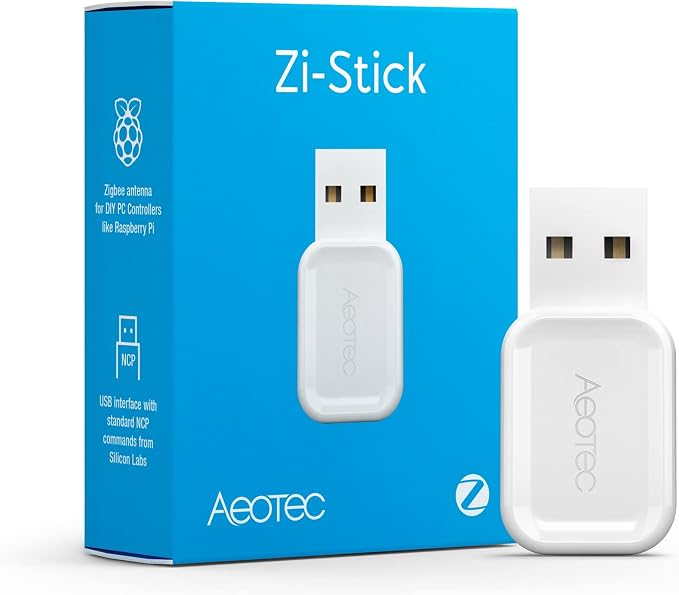
Home Assistant doesn’t speak Zigbee out of the box. You need a USB stick that acts as the coordinator of the Zigbee network. I use the Aeotec Zi-Stick. It is plugged into my Home Assistant server, a MeLE Quieter 4C mini PC, and works with the built-in Zigbee integration (ZHA) or with Zigbee2MQTT. You can read how the rest of that server is set up, including a Z-Wave stick, in Z-Wave in Home Assistant.
Two tips from practice:
- Keep the stick away from the PC. USB 3 ports and SSDs interfere with Zigbee’s 2.4 GHz signal. My stick sits in a UGREEN USB hub with a cable, which works as an extension cable. An ordinary half-metre USB extension cable works too.
- Make sure you have routers towards the garden. The GIEX and the soil sensor run on batteries and don’t relay signals themselves. Mains-powered Zigbee devices, such as smart plugs, do. One close to the outside wall keeps them within reach.
After that you pair the GIEX like any other Zigbee device. In Home Assistant you get, per outlet, a switch (the valve), a status (for example Idle), an irrigation duration in seconds and the battery level. That’s all you need to control it smartly.
What surprised me in a good way: the batteries last extremely long. I use rechargeable batteries in the GIEX timers, and after a year of use they are only half empty. That’s with a full season of watering, with a few Zigbee commands every evening.
The soil moisture sensor
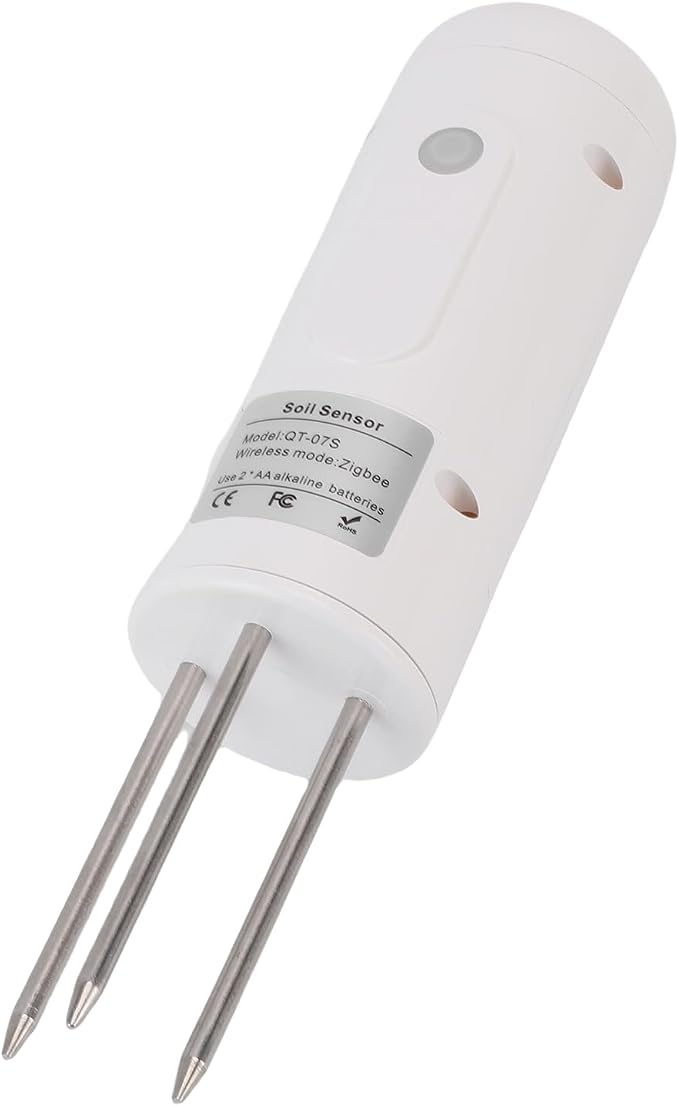
The sensor is what makes the whole automation smart. It’s a Zigbee soil moisture sensor with three metal prongs that you push into the ground. It measures the moisture level and temperature of the soil, runs on two AA batteries and, just like the GIEX, pairs directly with the Zi-Stick. In Home Assistant you get a sensor with the soil moisture as a percentage. The automation uses it to decide whether water is needed.
Here too I use rechargeable AA batteries, and they are also only half empty after a year. Even though the sensor sends readings all day long.
Put the sensor in a spot that is typical for the garden: not directly under a sprinkler and not in the only shady corner. Otherwise it measures a garden that doesn’t exist.
Why a Gardena distributor
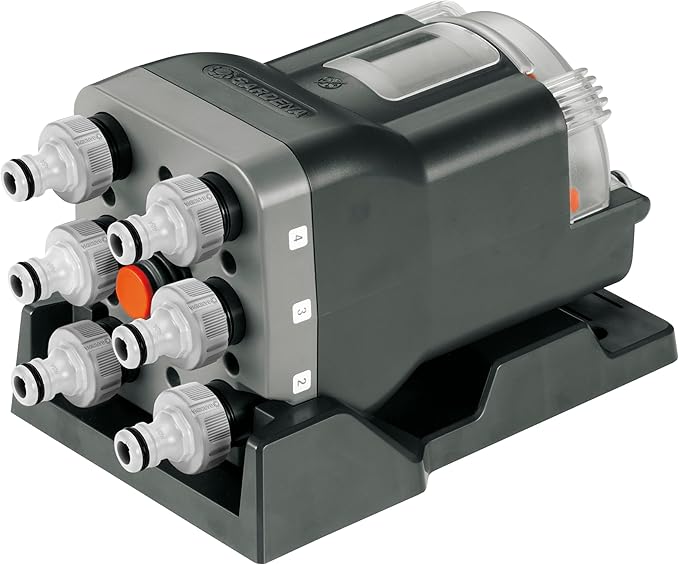
The water pressure at the tap isn’t enough to run all the sprinklers in the front garden at once. Open everything and a little water comes out everywhere, but nowhere enough. That’s why there is a Gardena 1197-20 automatic water distributor in between. It always sends the water to one group, so that group gets the full pressure. You set how many outlets you use yourself.
The distributor has no power and no controller of its own. It moves on to the next group every time the water stops and starts again. That means Home Assistant has to “work through” the groups by opening the valve, waiting, closing it and opening it again. Without those pauses the distributor stays on the same group and the other groups get no water.
The dashboard
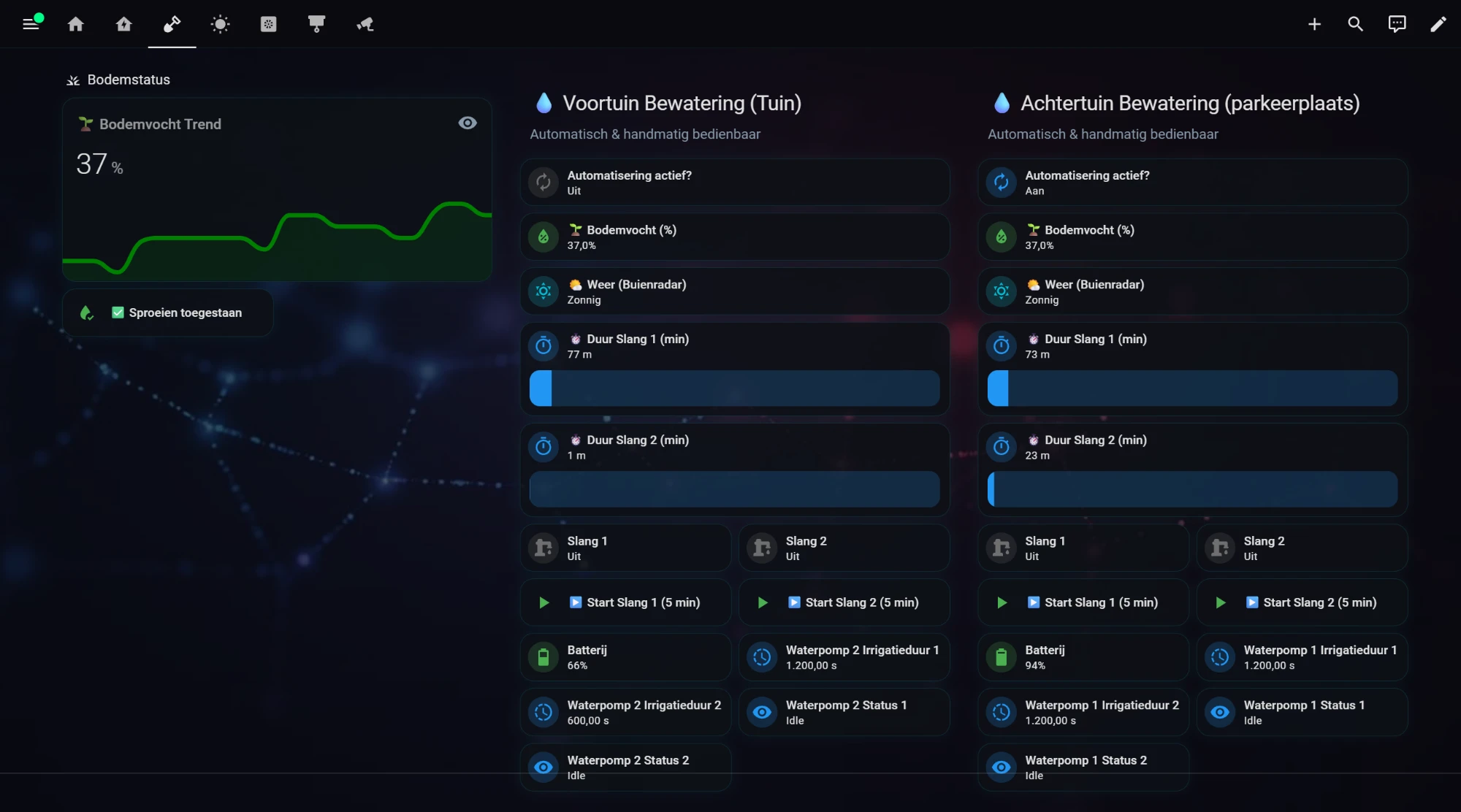
In Home Assistant I have a separate tab for irrigation. On the left is the soil status: a graph of the soil moisture over time and an indicator of whether watering is allowed right now. Next to it, each garden has a column with everything I need:
- Automation active? A switch to turn automatic irrigation on or off per garden. Handy when I go on holiday or when it has been raining for days.
- Soil moisture and weather. The current moisture percentage and the weather according to Buienradar, so I can see at a glance whether watering makes sense.
- Duration per hose. Two sliders to set how many minutes each outlet waters.
- Manual control. For each hose a switch and a “Start (5 min)” button for a quick extra round.
- Timer status. Battery, set irrigation duration and the status per outlet, so I can see whether water is really flowing.
Because each garden has its own column and its own switch, I can let one garden run automatically and do the other by hand.
The Home Assistant irrigation automation
The automatic irrigation starts late in the evening, when the sun has gone and little water evaporates. But only if all conditions are met:
- the Irrigation on switch is on;
- the soil moisture is below 40%;
- both valves are off, so no manual round is already running.
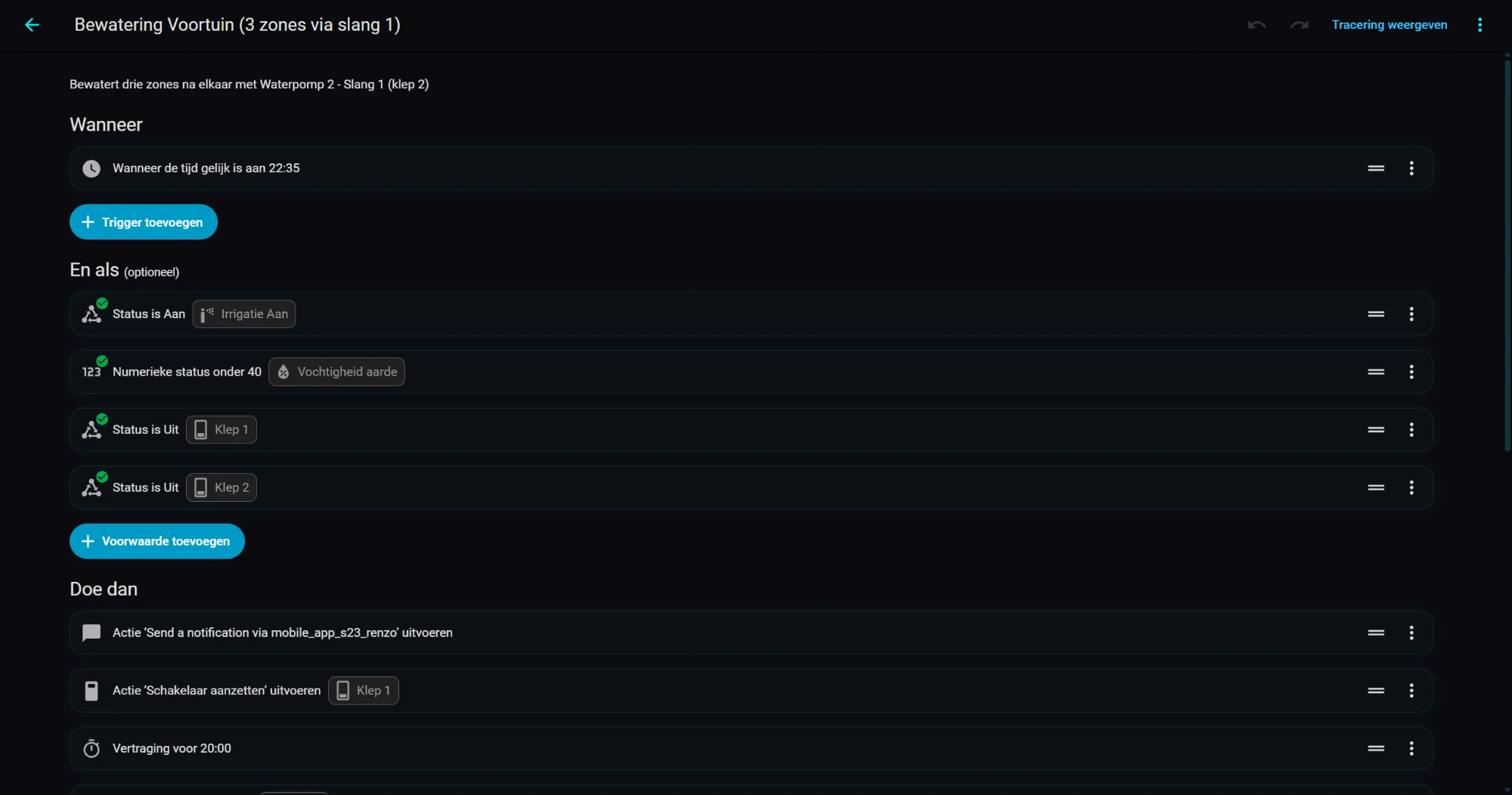
If the soil is moist enough, nothing happens. That’s exactly the point: after a rainy day the garden skips itself. When the irrigation does start, I first get a notification on my phone. Then Home Assistant works through the three groups behind the distributor: valve open, 20 minutes of water, valve closed, a short wait so the pressure drops and the distributor moves on, and then the next group.
Simplified, it looks like this (the entity names and the pause are examples):
automation:
  - id: bewatering_voortuin
    alias: "Irrigation front garden (3 groups via hose 1)"
    description: "Waters three groups one after another via the Gardena distributor"
    mode: single
    trigger:
      - platform: time
        at: "22:35:00"
    condition:
      - condition: state
        entity_id: input_boolean.irrigatie_aan
        state: "on"
      - condition: numeric_state
        entity_id: sensor.vochtigheid_aarde
        below: 40
      - condition: state
        entity_id: switch.klep_1
        state: "off"
      - condition: state
        entity_id: switch.klep_2
        state: "off"
    action:
      - action: notify.mobile_app_telefoon
        data:
          title: "Irrigation started"
          message: "Soil moisture is {{ states('sensor.vochtigheid_aarde') }} %, the front garden is getting water."
      - repeat:
          count: 3
          sequence:
            # Valve open: the distributor sends the water to the next group
            - action: switch.turn_on
              target:
                entity_id: switch.klep_1
            - delay: "00:20:00"
            - action: switch.turn_off
              target:
                entity_id: switch.klep_1
            # Pause so the pressure drops and the distributor moves on
            - delay: "00:01:00"
So the pauses aren’t a luxury. They are the signal for the distributor to move on. Remove them and one group gets an hour of water and the other two nothing.
Why the timer gets its own duration too
The GIEX has its own irrigation duration for each outlet. I use it as a safety net. If Home Assistant restarts in the middle of a round, or if the Zigbee command to close the valve doesn’t arrive, the timer closes the valve itself after that time. Without that safety net a forgotten valve can stay open all night. That’s not something you want to discover on your water bill.
What I learned from it
- Steer on the soil, not on the clock. A fixed time is fine as a starting point, but the soil moisture sensor decides whether water is needed.
- Work with the water pressure, not against it. Better three groups one after another at full pressure than everything at once with a feeble trickle.
- Keep manual control simple. A “5 minutes” button gets used far more often than a switch you have to turn off again yourself.
- Batteries are not a worry. The timers and the soil sensor run on rechargeable batteries, and after a year they are still at about 50%. Charging once a year is plenty. I do keep an eye on the level on the dashboard.
What’s next
Right now the automation only looks at the current soil moisture. A next step is to include the rain forecast from Buienradar: if rain is coming tonight, the garden doesn’t need water this evening. I’ll write about how that works out in a future post.
What I use
- MeLE Quieter 4C mini PC: view on Amazon. My Home Assistant server: quiet and fanless.
- UGREEN 4-port USB hub: view on Amazon. Keeps the Zigbee stick a little away from the PC.
- Aeotec Zi-Stick (Zigbee USB stick): view on Amazon. The Zigbee coordinator in my Home Assistant server, works with ZHA and Zigbee2MQTT.
- GIEX Zigbee irrigation timer with two outlets: view on Amazon. Works without a cloud, directly with a Zigbee dongle in Home Assistant. On rechargeable batteries still half full after a year.
- Zigbee soil moisture sensor (QT-07S): view on Amazon. Measures soil moisture and temperature, still half full after a year on two rechargeable AA batteries.
- Gardena 1197-20 automatic water distributor: view on Amazon. Splits the water from one outlet over several groups, without power.
This article contains affiliate links. As an Amazon Associate I earn from qualifying purchases. The price stays the same for you.
This works in my situation: GIEX Zigbee timers with two outlets, a Zigbee soil moisture sensor, a Gardena 1197-20 water distributor, an Aeotec Zi-Stick in a UGREEN USB hub on a MeLE Quieter 4C, and Home Assistant. Entity names, the pause your distributor needs and the behaviour of your own timer may differ. Check it against your own documentation.

Leave a Reply