
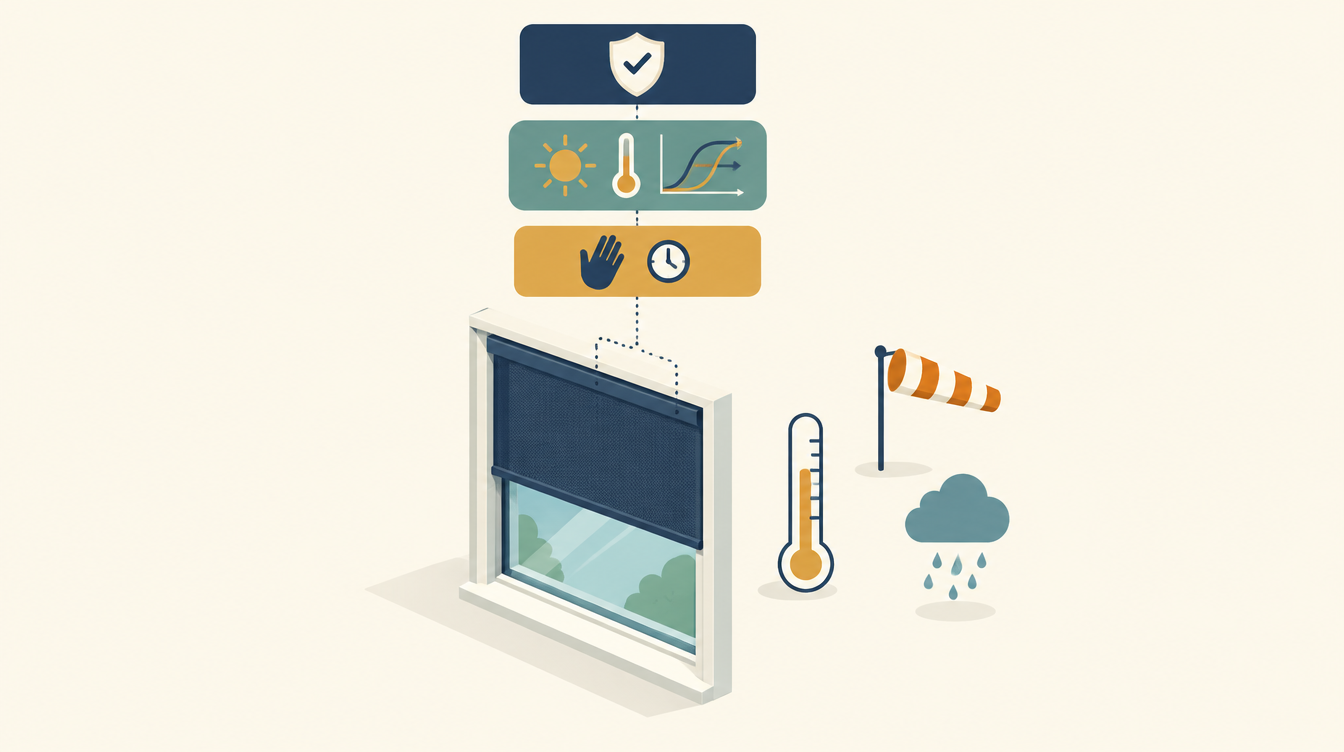
Automating sun shading in Home Assistant looks simple: close when the sun is on the house, open when it rains or the wind picks up. But in October my screens opened and closed all day long, and the cause wasn’t a sensor but the design of the automation. In this post I show what the old version looked like, why it could never work, and how I rebuilt it with hysteresis, a separate safety layer and a manual mode that expires on its own.
This is a follow-up to Somfy screens in Home Assistant, where I describe how our Hardol screens ended up in Home Assistant via the Connexoon.
The problem
The sun shading was meant to be simple: closed when the sun is on the house and it gets warm inside, open in rain, wind and at night. That worked reasonably well in summer. As soon as the heating came on in autumn, the trouble started: screens changing position every few minutes, a family raising them by hand and seeing them close again five minutes later, and a logbook full of cover.close_cover calls.
A thermostat that measures in steps of 0.5 K, a heat pump that regulates to 20 °C and an automation with a hard limit at 20.5 °C together make an oscillator. Not a single part was broken; the combination was the problem.
The old automation
This was the core. Every five minutes and on every sensor change, variables were calculated, and choose sent either open_cover or close_cover.
triggers:
  - trigger: time_pattern
    minutes: /5
  - trigger: state
    entity_id:
      - sensor.binnentemperatuur
      - sensor.neerslagintensiteit
      - sensor.windsnelheid
      - sun.sun
actions:
  - variables:
      temp: "{{ states('sensor.binnentemperatuur') | float(0) }}"
      regen: "{{ states('sensor.neerslagintensiteit') | float(0) }}"
      wind: "{{ states('sensor.windsnelheid') | float(99) }}"
      azimuth: "{{ state_attr('sun.sun', 'azimuth') | float(0) }}"
      nacht: "{{ is_state('sun.sun', 'below_horizon') }}"
  - choose:
      - conditions: "{{ nacht or regen > 0 or wind > 15 or temp < 20.5 }}"
        sequence:
          - action: cover.open_cover
            target: { entity_id: cover.all_screens }
      - conditions: "{{ temp > 20 and 60 <= azimuth <= 300 and regen < 1 and wind < 6 and not nacht }}"
        sequence:
          - action: cover.close_cover
            target: { entity_id: cover.all_screens }
mode: restart
It reads logically, but it contains five mistakes that reinforce each other.
- No hysteresis. Close at
temp > 20, open attemp < 20.5: that is one hard limit at 20.5 °C. With a thermostat that measures in steps of 0.5 K and heating that regulates to 20 °C, the reading structurally bounces between 20.0 and 20.5. Every step is a command to all screens. - Stateless. The automation never checks whether the screens are already in the desired position. Every run sends a command, even when nothing changes. That makes manual intervention impossible: within five minutes it gets undone.
- Trigger on
sun.sunwithoutto:. A state trigger withoutto:also fires on attribute changes. The sun entity updates azimuth and elevation every few minutes, so the automation ran far more often than intended. - Wind limits without a unit. Close only below 6, open above 15. In km/h, 6 is almost calm and the screens rarely close; in m/s, 15 (7 Bft) is far too high as a safety limit. Manufacturers are around 10 m/s.
- Sun based on azimuth only. 60–300° covers the whole day in the Netherlands. Without elevation or a sunshine indicator, the screens close on a cloudy day as soon as it’s 20.5 °C inside, and in winter they block free solar heat.
Smaller, but not unimportant: regen | float(0) counts an unavailable rain sensor as dry, regen > 0 reacts to measurement noise of 0.01 mm/h, and mode: restart adds nothing for individual service calls.
The approach: three layers
The solution isn’t a smarter choose, but separating three questions that were mixed up in the old version:
- Safety: is it safe to have the screens down?
- Comfort: do I want them down?
- Control: does a command need to be sent right now?
binary_sensor.zonwering_blokkade  (safety: wind, rain, night)    ──┐
binary_sensor.zonwering_gewenst   (comfort: sun, temperature)    ──┼──> automation ──> cover.all_screens
input_boolean.zonwering_handmatig (expires after 3 hours)        ──┘
                          safety always overrides manual; comfort does not
The two binary_sensors calculate the decision and keep their own state. That is what makes hysteresis possible. The automation becomes dumb and predictable: it triggers on a change, compares with the actual position of cover.all_screens and only sends a command if it differs. The manual mode sits in between and only blocks the comfort layer, never safety.
The package
Everything lives in one package file, zonwering_automatisch_regelen.yaml. Replace the three sensor names and cover.all_screens with your own entities.
Helpers
The thresholds are stored in input_number helpers, so you can adjust them on the dashboard without touching YAML. The manual mode is an input_boolean.
input_boolean:
  zonwering_handmatig:
    name: Zonwering handmatig
    icon: mdi:hand-back-right

input_number:
  zonwering_binnen_dicht:
    name: Zonwering – binnen dicht vanaf (°C)
    min: 19
    max: 26
    step: 0.5
    initial: 22.0
    unit_of_measurement: "°C"
  zonwering_binnen_open:
    name: Zonwering – binnen weer open onder (°C)
    min: 18
    max: 25
    step: 0.5
    initial: 21.0
    unit_of_measurement: "°C"
  zonwering_wind_max:
    name: Zonwering – wind open boven (m/s)
    min: 4
    max: 20
    step: 0.5
    initial: 10
    unit_of_measurement: "m/s"
Layer 1: safety
binary_sensor.zonwering_blokkade is on in wind, rain or at night. Unavailable sensors get an unsafe default value (float(99)), so a failed sensor always leads to “open”. The wind has hysteresis via this.state: on above the maximum, only off again below 70 % of it. A delay_off of ten minutes prevents one calm minute from sending the screens back down.
template:
  - binary_sensor:
      - name: Zonwering blokkade
        unique_id: zonwering_blokkade
        icon: mdi:weather-windy
        delay_off: "00:10:00"
        state: >
          {% set wind  = states('sensor.windsnelheid') | float(99) %}
          {% set regen = states('sensor.neerslagintensiteit') | float(99) %}
          {% set elev  = state_attr('sun.sun', 'elevation') | float(-10) %}
          {% set wind_max = states('input_number.zonwering_wind_max') | float(10) %}
          {% set al_aan = this.state == 'on' if this is defined else false %}
          {% set wind_grens = (wind_max * 0.7) if al_aan else wind_max %}
          {{ wind > wind_grens or regen > 0.2 or elev < 3 }}
Layer 2: comfort
binary_sensor.zonwering_gewenst answers one question: do I want the screens closed right now? Close from 22.0 °C, only open again below 21.0 °C: a band of two thermostat steps, well above the heating setpoint of 20 °C. The sun has to be at least 10° above the horizon, the morning quiet period until 08:30 stays, and the block has to be off. delay_on and delay_off act as a debounce.
      - name: Zonwering gewenst
        unique_id: zonwering_gewenst
        icon: mdi:blinds
        delay_on: "00:03:00"
        delay_off: "00:05:00"
        state: >
          {% set temp  = states('sensor.binnentemperatuur') | float(0) %}
          {% set elev  = state_attr('sun.sun', 'elevation') | float(0) %}
          {% set az    = state_attr('sun.sun', 'azimuth') | float(0) %}
          {% set dicht = states('input_number.zonwering_binnen_dicht') | float(22) %}
          {% set open  = states('input_number.zonwering_binnen_open') | float(21) %}
          {% set al_aan = this.state == 'on' if this is defined else false %}
          {% set ochtendrust_voorbij = now().hour * 60 + now().minute >= 8 * 60 + 30 %}
          {% set zon_op_huis = elev > 10 and 60 <= az <= 300 %}
          {% set warm = temp >= dicht if not al_aan else temp > open %}
          {{ ochtendrust_voorbij and zon_op_huis and warm
             and is_state('binary_sensor.zonwering_blokkade', 'off') }}
The line warm = temp >= dicht if not al_aan else temp > open is the entire hysteresis. If the sensor is off, the temperature has to reach the upper limit. If it is on, it stays on until the lower limit.
Layer 3: control
The automation only triggers on a change of the two binary_sensors, on the manual mode expiring and when Home Assistant starts. Every fifteen minutes there is a safety net, but it only sends a command if the actual position differs. Safety overrides the manual mode; comfort does not.
automation:
  - alias: Zonwering Automatisch Regelen
    id: zonwering_automatisch_regelen
    mode: queued
    max: 3
    triggers:
      - trigger: state
        entity_id: binary_sensor.zonwering_blokkade
        to: ["on", "off"]
      - trigger: state
        entity_id: binary_sensor.zonwering_gewenst
        to: ["on", "off"]
      - trigger: state
        entity_id: input_boolean.zonwering_handmatig
        to: "off"
      - trigger: homeassistant
        event: start
      - trigger: time_pattern
        minutes: "/15"
    actions:
      - choose:
          # A. Veiligheid: altijd open, ook bij handmatig
          - conditions:
              - condition: state
                entity_id: binary_sensor.zonwering_blokkade
                state: "on"
              - condition: not
                conditions:
                  - condition: state
                    entity_id: cover.all_screens
                    state: open
            sequence:
              - action: cover.open_cover
                target: { entity_id: cover.all_screens }
          # B. Comfort: dicht
          - conditions:
              - condition: state
                entity_id: binary_sensor.zonwering_blokkade
                state: "off"
              - condition: state
                entity_id: input_boolean.zonwering_handmatig
                state: "off"
              - condition: state
                entity_id: binary_sensor.zonwering_gewenst
                state: "on"
              - condition: not
                conditions:
                  - condition: state
                    entity_id: cover.all_screens
                    state: closed
            sequence:
              - action: cover.close_cover
                target: { entity_id: cover.all_screens }
          # C. Comfort: open
          - conditions:
              - condition: state
                entity_id: binary_sensor.zonwering_blokkade
                state: "off"
              - condition: state
                entity_id: input_boolean.zonwering_handmatig
                state: "off"
              - condition: state
                entity_id: binary_sensor.zonwering_gewenst
                state: "off"
              - condition: not
                conditions:
                  - condition: state
                    entity_id: cover.all_screens
                    state: open
            sequence:
              - action: cover.open_cover
                target: { entity_id: cover.all_screens }

  - alias: Zonwering handmatig verloopt
    id: zonwering_handmatig_verloopt
    triggers:
      - trigger: state
        entity_id: input_boolean.zonwering_handmatig
        to: "on"
        for: "03:00:00"
    actions:
      - action: input_boolean.turn_off
        target: { entity_id: input_boolean.zonwering_handmatig }
The manual mode expires after three hours. That’s deliberate: an override you forget to switch off is a broken automation a week later.
Test before you put it live
A template that looks right isn’t necessarily a template that works. I test the two binary_sensors outside Home Assistant with a small Python script and Jinja2, which mimics states(), state_attr(), now() and this.state. That way you run through dozens of situations in a few seconds, including the edge cases you’d only hit in real life after weeks.
These are the scenarios I ran. All nineteen gave the expected result.
| Scenario | Sensor | Was | Expected |
|---|---|---|---|
| Calm weather, daytime | block | off | off |
| Wind 11 m/s | block | off | on |
| Wind 8 m/s | block | on | stays on |
| Wind 6.5 m/s | block | on | off |
| Wind 8 m/s | block | off | stays off |
| Rain 0.1 mm/h (noise) | block | off | off |
| Rain 0.5 mm/h | block | off | on |
| Wind sensor unavailable | block | off | on |
| Sun below horizon | block | off | on |
| Inside 20.5 °C (heating setpoint) | desired | off | off |
| Inside 22.0 °C | desired | off | on |
| Inside 21.5 °C | desired | on | stays on |
| Inside 21.0 °C | desired | on | off |
| Inside 21.5 °C | desired | off | stays off |
| Inside 23 °C at 08:15 | desired | off | off |
| Inside 23 °C at 08:30 | desired | off | on |
| Inside 23 °C, sun 5° high | desired | off | off |
| Inside 23 °C, block on | desired | off | off |
| Temperature sensor unavailable | desired | on | off |
The core of the test script:
import jinja2, datetime, yaml

class This:
    def __init__(self, state): self.state = state

def run(template, states, attrs, this_state, hour=12, minute=0):
    env = jinja2.Environment()
    env.globals['states'] = lambda e: states.get(e, 'unavailable')
    env.globals['state_attr'] = lambda e, a: attrs.get((e, a))
    env.globals['is_state'] = lambda e, v: states.get(e) == v
    env.globals['now'] = lambda: datetime.datetime(2026, 10, 8, hour, minute)
    def fl(v, default=0):
        try: return float(v)
        except (TypeError, ValueError): return default
    env.filters['float'] = fl
    return env.from_string(template).render(this=This(this_state)).strip()

pkg = yaml.safe_load(open('zonwering_automatisch_regelen.yaml'))
gewenst = next(b['state'] for b in pkg['template'][0]['binary_sensor']
               if b['name'] == 'Zonwering gewenst')
basis = {'sensor.windsnelheid': '4', 'sensor.neerslagintensiteit': '0',
         'input_number.zonwering_wind_max': '10',
         'input_number.zonwering_binnen_dicht': '22',
         'input_number.zonwering_binnen_open': '21',
         'binary_sensor.zonwering_blokkade': 'off'}
zon = {('sun.sun', 'elevation'): 25, ('sun.sun', 'azimuth'): 180}

# hysterese omhoog: 21,5 vanuit 'uit' blijft uit, vanuit 'aan' blijft aan
assert run(gewenst, {**basis, 'sensor.binnentemperatuur': '21.5'}, zon, 'off') == 'False'
assert run(gewenst, {**basis, 'sensor.binnentemperatuur': '21.5'}, zon, 'on') == 'True'
Then in Home Assistant itself: check the configuration, reload the template entities, and let the package run for a day with the automation switched off. In the history of binary_sensor.zonwering_gewenst you can then see whether it behaves the way you want, without a single screen moving. Only then do you switch the automation on.
What I learned from this
The three principles that make this package robust apply to almost any automation that controls something physical, not just sun shading in Home Assistant.
- Calculate the decision in a template sensor, not in the automation. A binary_sensor with
this.statecan do hysteresis, gives you free history on the dashboard and can be tested on its own. The automation then becomes trivial: follow the sensor. - Only send a command when there is a difference. Compare the desired position with the actual position and do nothing if they match. That makes manual intervention possible and keeps your logbook readable.
- Separate safety from comfort. Wind and rain must never be overruled by a comfort rule or a manual mode. Two sensors, two priorities.
The same principle is in my room thermostat for the heat pump: a hysteresis of 0.5 K and minimum on and off times, because the thermostats measure in steps of 0.5 K.
What’s next
- The current output of the solar panels as a sunshine indicator in
zonwering_gewenst. That is a better measure of “the sun is really shining” than the position of the sun alone, and the sensor already exists. - A limit for the outdoor temperature, so the screens stay open on a sunny winter day and the heat pump can use the free heat.
Questions or improvements? Let me know in the comments.
This works in my situation: Hardol screens with Somfy motors via a Connexoon, a cover group cover.all_screens and Home Assistant. Thresholds, sensor names and wind limits for your own screens may differ. Check it against your own documentation and the manufacturer’s specifications.


Leave a Reply